Make a game with AI. Play it with friends.
Nilo is a browser game maker. Describe a 3D game, Nilo AI helps build it, and you play it with friends from one link.
No download. Open Beta, ages 13+. Players need a free Nilo account to open a shared game.

By Joe MacKenzie, Marketing Manager at Nilo
Published November 16, 2026 · Updated November 16, 2026
I work at Nilo. If you're still choosing, my comparison of AI game makers says where other tools fit better.
What is Nilo?
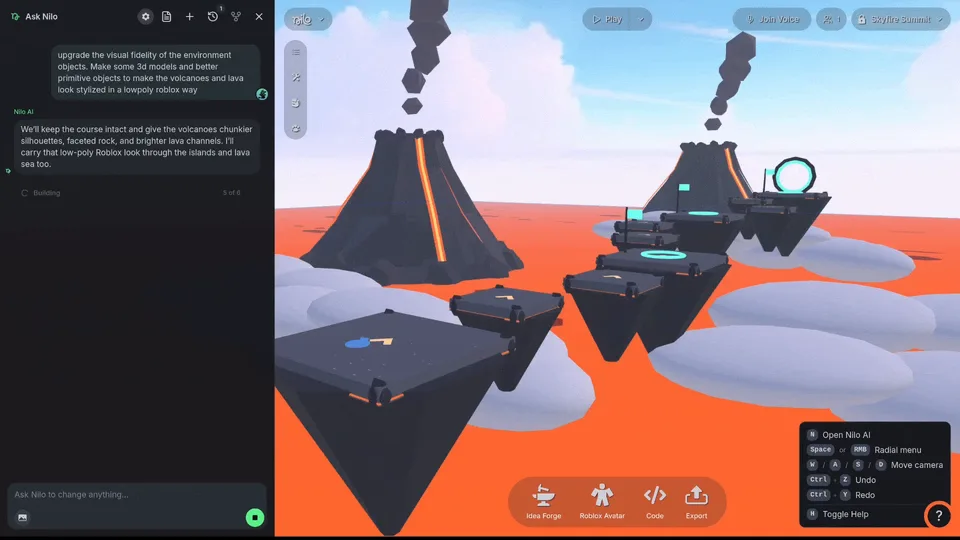
Nilo lives at play.nilo.io. You say what the game is. Nilo AI writes a game design document and builds a 3D version you can play in the browser. Environment, characters, logic, sound, UI, leaderboards. Then you change it. Prompt again, poke one object with a Mini Agent, or open the code if you want the rule itself.
Friends can build in the same world at the same time, or play the game with you. Opening the link needs a free Nilo account. 150K+ creators. Backed by a16z speedrun and Supercell.
Start from a clip, not a blank page
Paste a public or unlisted YouTube link. Nilo AI watches it, writes a game design document, and builds a demo you then change. Nilo doesn't take a video file.
The feature shipped in the November 10 changelog. The Nilo AI help covers the design document and the prompts.
How a game actually gets made
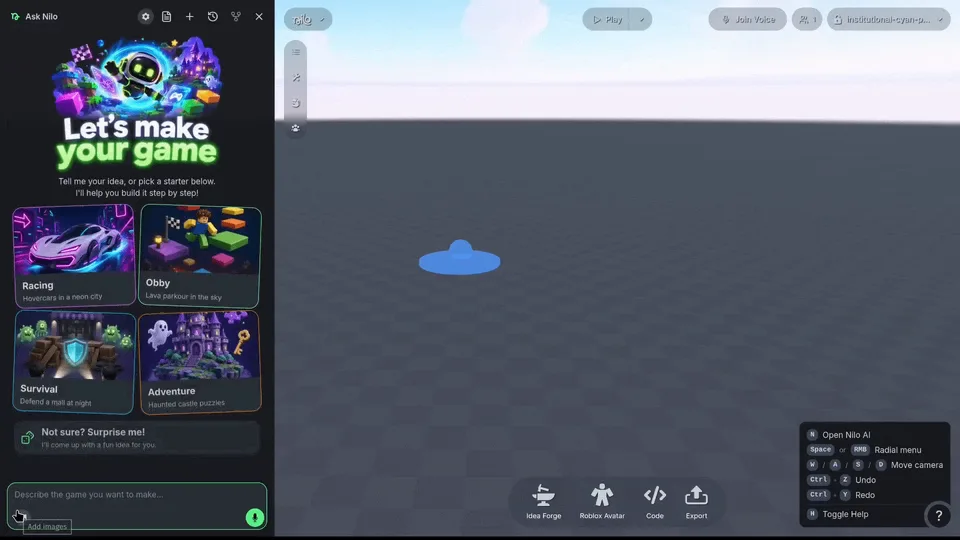
Five steps. The first result is something you play, not a poster of a game you might make later.
- 1
Describe a small game
Open Nilo and say what the game is. One place, one objective, and who is playing is enough for a first version.
- 2
Build and refine the world
Nilo AI keeps a game design document and builds the environment, characters, logic, UI, and sound. Change the prompt, or edit one object, when the first pass is too big or too vague.
- 3
Playtest and adjust
Play the version you just got. If a control, a goal, or a collision is wrong, say so and try again. The first generation is a draft.
- 4
Invite friends
Send the world link. They can build in it with you, or just jump in and play.
- 5
Publish and share
Publish when the link should stand on its own. You can come back to edit mode and keep changing the game after people have opened it.
Four parts of the same game
Each one does a different job. The document keeps the plan. Mini Agents handle one object. The code editor is there when you want the rule itself. Friends are in the world with you.
Nilo AI and the game design document
Nilo AI is the assistant that builds the game with you. As you prompt, it keeps a game design document you can open and change, so the next request still refers to the same game. From that plan it can make 3D models, whole environments, game logic, characters and animations, sound effects, leaderboards, and UI.
Mini Agents for one object at a time
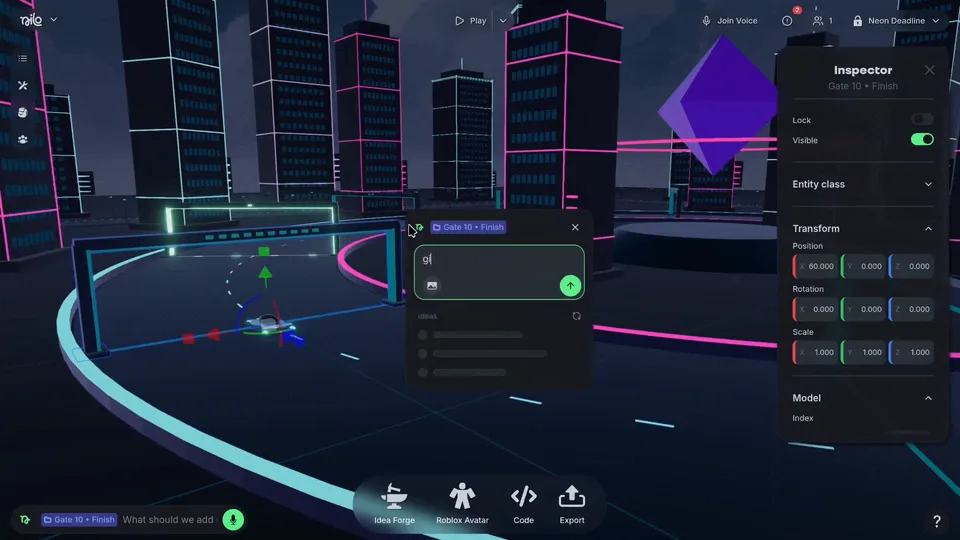
A Mini Agent works on a single object: its properties, a small detail, or replacing a primitive with a generated or imported model. Mini Agents can run while Nilo AI is still working on the rest of the game, so a door, a prop, or a character does not have to wait for the whole world.
Start without code. Open it when you want.
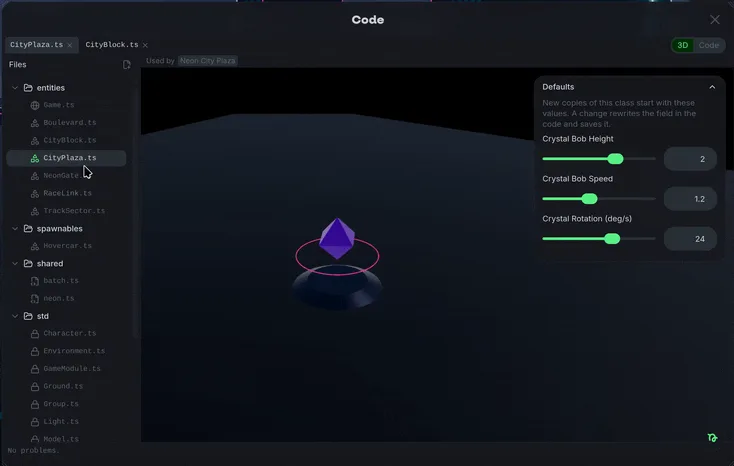
You can get a playable game without writing anything. When a rule needs to be exact, the editor has visual controls, direct code, and prompting, on the whole game or on one object. A Mini Agent can change that code for you.
Build together, then play together
Share a link and friends can create in the same world, with shared chats, while Nilo AI keeps working. Playing together is the other half: send the link and join the same game.
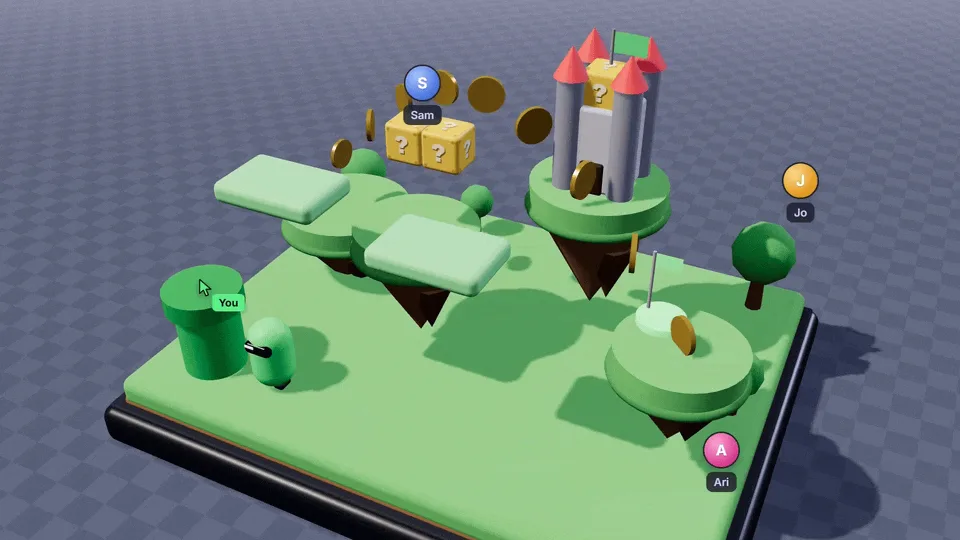
Games made in Nilo
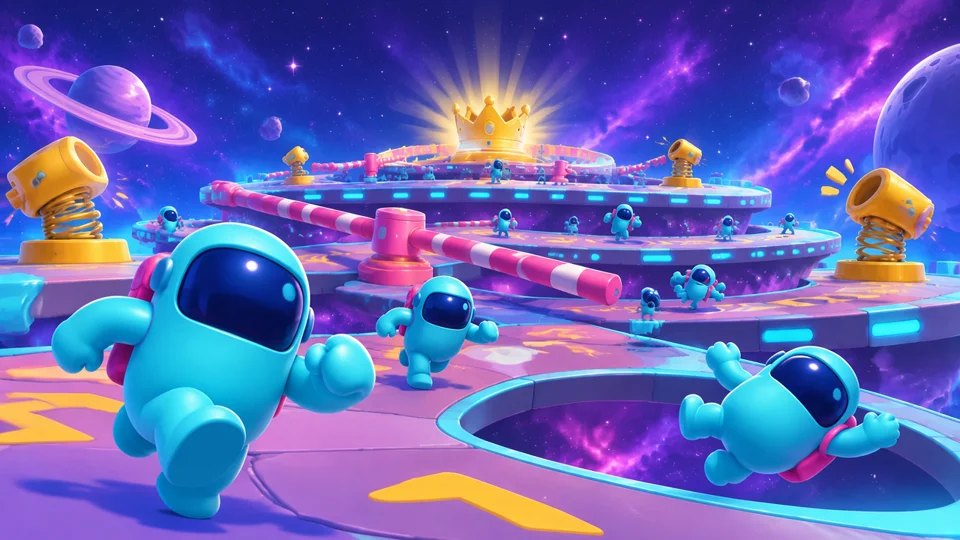
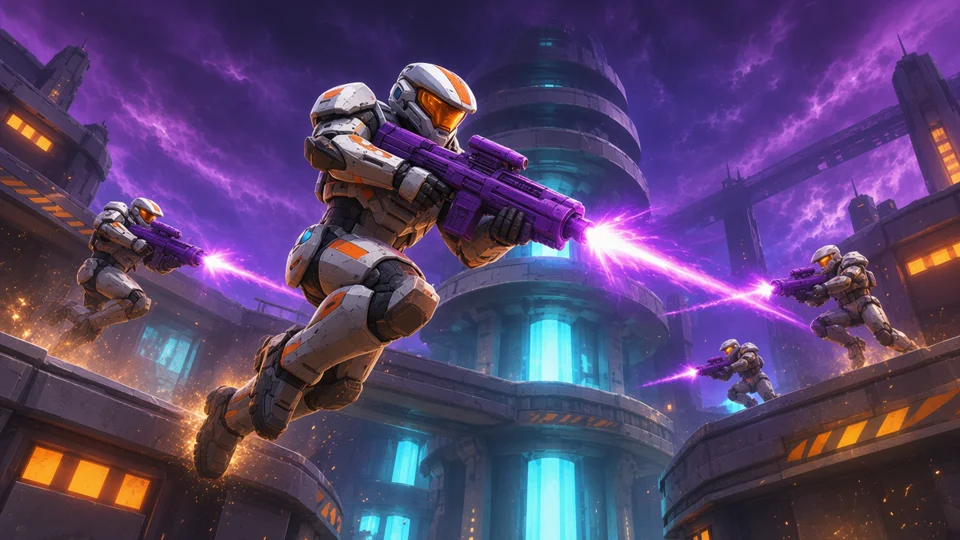
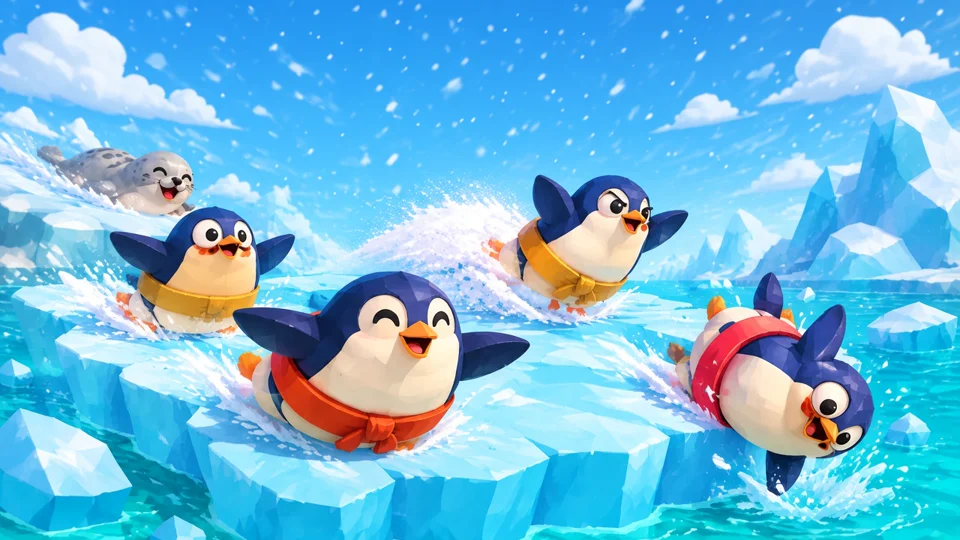
These are featured on the Nilo homepage. Open one to play it. Titles and creators are the ones already credited there.


What free includes, and what leaves Nilo
Free means the Starter plan. You can make a game and share a link. AI use is a weekly allowance, and Nilo Bits top it up when it runs out.
Current prices live on the pricing page or the plans article, since they change.
The playable game runs in Nilo's browser player. It is not a standalone build. Objects export as FBX, GLB, or STL. A whole World exports to Roblox Studio, and that RBXMX file needs Builder or Pro. Workbench Roblox characters download for Roblox. Models also work in Unity, Unreal Engine, and Godot. Roblox import needs models under 10,000 polygons. Exporting from Nilo has the formats. Custom preview images, so the thumbnail isn't stuck as whatever happened to be on screen, shipped October 8.
Launch video
The announcement video, uploaded November 6, 2026. It's 36 seconds. It does not start until you press play.
A co-op zombie arena, with two friends
I always think the first sentence is the game. It never is. That's on me. Here's the one I'd paste for a night with two friends:
A small co-op zombie arena. Two players share a fenced yard, shoot or shove zombies, and survive three waves.
Nilo AI writes a game design document from that and builds a demo you can play. Play it before you add props. If a wave never ends, or a zombie never moves, that is the next prompt, not a new project.
I'd follow with: “End the game after three waves. Put the wave number on screen. Make the zombies walk toward the nearest player.” Then I'd send the link. One friend can keep building. The other can play. If nobody can tell the characters apart, ask for a color on each player.
This is a way to start. It is not a recording of a finished game, and one sentence will not ship it. The haunted-house tutorial below is the one we filmed.
How to make your first game in Nilo
This follows How To Make Games Inside Nilo Using Nilo’s New AI Prompt To Game Tool!, uploaded November 12, 2026. It runs 1 minute 51 seconds. The written steps are enough if you never press play. The timestamp links are approximate places in the video, not official chapters.
Try this prompt
A small multiplayer haunted-house game where friends explore, find objects, and avoid a ghost.
Then narrow it. For example: “Make the house one floor with four rooms. Add three objects to find and a slow ghost that patrols the hall.” That is an example to refine, not a guarantee that one prompt finishes the game.
Open NiloStep 1
Open Nilo
Go to play.nilo.io. The Make It bar is where a new game starts. You do not install an editor first.
Step 2
Describe one small game
Say who plays, where they are, and what they are trying to do. A huge open world makes a worse first test than one house, one goal, and one threat.
Step 3
Play the first version before you decorate it
Walk through it. If you cannot tell the goal, or a control does nothing, that is the next prompt. Do not expect one sentence to be the finished game.
Step 4
Narrow the prompt, and add a picture if you have one
Name the rooms, the objects, and the rule. An image can point the look of the space. The game design document is the place to check that Nilo is still building the game you meant.
Step 5
Split big work from small work
Leave Nilo AI on the overall game. Use a Mini Agent on one object, or open the code editor for one rule. More than one agent can be busy at the same time.
Step 6
Bring friends in for two different reasons
Invite them to build and test with you in edit mode. Then play the game together and see what a second person does. Fix what that playtest breaks.
Step 7
Publish the link, then keep editing
Publish when someone who was not in the session should be able to open it. You can return to edit mode afterward. The published link is not a lock.
Places in the tutorial
- 0:04 Open the play page and the Make It bar
- 0:09 Describe a multiplayer haunted-house game
- 0:24 Refine it with a more detailed prompt
- 0:47 Add an image reference
- 0:53 Keep working with more than one agent
- 1:06 Check the game design document
- 1:13 Play and test
- 1:18 Invite friends to create, play, and test
- 1:23 Publish and share
- 1:31 Return to edit mode and keep going
Questions
Can I make a game without coding?
Yes. Describe the game and play what comes back. If you want the rules in front of you, the editor has visual controls, direct code, and prompting. A Mini Agent can change the code. You can ignore all of that and still have a game.
Can I make a 3D game?
Yes. Nilo builds 3D worlds in the browser, including environments, characters, and the objects those characters use. The games featured on this page are 3D worlds made in Nilo.
Can friends build with me?
Yes. Share the world and friends can co-create in it, with shared chats. That is collaborative editing. A Mini Agent or Nilo AI can keep working while you are both in the world.
Can friends play my game?
Yes. Friends can play with you in the same game from a link. They need a free Nilo account to open it. Playing together is separate from building together, even though both start from a link. Publishing doesn't require a paid plan. Choose Sandbox or Spectator when you publish.
Can I edit what the AI makes?
Yes. Change the game design document, edit one object with a Mini Agent, move things in the scene, or open the code. You can also replace a primitive with a model you generate or import.
Is Nilo free?
You can start free on the Starter plan. It includes a limited weekly amount of AI usage, not unlimited generation. Builder and Pro raise that limit. Current prices and what each plan includes are on the pricing page.
Can I turn a video into a game?
Yes. Paste a public or unlisted YouTube link. Nilo AI watches it, writes a game design document, and builds a demo you refine. Nilo doesn't take a video file.
Do I need to download anything?
No. Nilo runs in a modern browser. The help center recommends Chrome 90+, Firefox 90+, Safari 15+, or Edge 90+, with WebGL 2.0. You need to be 13 or older.
What can I export, and what stays on Nilo?
The playable game runs in Nilo's browser player. It is not exported as a standalone build. Objects export as FBX, GLB, or STL. A whole World exports to Roblox Studio, and that RBXMX file needs Builder or Pro. Workbench Roblox characters download for Roblox. Models also work in Unity, Unreal Engine, and Godot. Roblox import needs models under 10,000 polygons. Making Roblox assets is supported. The game still leads. The terms say you keep ownership of what you post, and you grant Nilo a license to host and use it.
Keep going
- Best AI game makersHow Nilo compares with other game makers, engines, and specialist tools.
- Games Arrive on NiloThe product announcement behind the clips on this page.
- AI Game Builder for Beginners: Which One to Open TonightA short way to choose a first tool.
- Collaborative Game Development Browser: Build as a TeamMaking a game with other people in the browser.
- Nilo FAQPricing, devices, export, and safety, with links into the help center.