Best AI game makers in 2026
For 3D games you make and play with friends in a browser, my pick is Nilo. It's also the best free AI game maker here. Below is where each of the other tools fits better.

By Joe MacKenzie, Marketing Manager at Nilo
Published November 16, 2026 · Updated November 17, 2026
I work at Nilo, so I put it first. Where another tool is the better choice, I say so. I checked every company's own pages, but I didn't playtest every tool. More about me
The short answer
For a 3D game in the browser that friends can build and play, I'd open Nilo. Describe it, or paste a public or unlisted YouTube link. Nilo AI keeps a game design document and builds a demo. Players need a free Nilo account to open the link.
- Best for friendsNiloFriends can build in the same world, then play together. A free account is enough to open the link.
- Best free AI game makerNiloThe Starter plan is free. Make a 3D game with Nilo AI in your browser and share it with one link. AI use on Starter is limited each week. If you want a free engine with no AI, use Godot.
- Best for learning to codeGodotYou write the game yourself in a real 2D and 3D engine. GameMaker is the 2D classroom next door.
- Best for 2DGameMakerDrag GML Visual or write code, then ship a polished 2D game. Selling it still needs a paid licence today.
- Best for exportGodotDesktop, mobile, and web builds are part of the engine. Nilo does not export the playable game.
Nilo is the wrong pick when you need a polished 2D commercial release. That's GameMaker. It's also the wrong pick for an offline 2D project with a huge extension store. That's GDevelop. Rosebud is the prompt tool if you want multiplayer rooms and, on Pro, a Windows build. Summer, GameMaker, and Godot are what you install when the project file has to live on your machine.
How this ranking was decided
- Can it produce a playable game, rather than only an idea, an asset, or a character API?
- Does the editor run in a browser, and can it make 3D?
- Can more than one person edit the same project, and can people play together?
- Can you start without code, and still change the result afterward?
- Is the free plan actually usable, and can you tell a model export from a full-game export?
Nilo is first because this guide is about that combination, and because we make Nilo. The order after that follows how close each tool is to the same job. It is not a score. If Nilo doesn't do the thing, the row says so.
Compare the tools
Turn on a filter to narrow the list. A tool drops out when its own pages don't document that feature. “Not clearly documented” is not the same as “unsupported.”
Showing 9 of 9. Nilo stays first only when it matches the filters that are on.
 1. Nilo
AI-native game maker
- Editor
- Browser. No download. Open Beta, ages 13+.
- 2D / 3D
- 3D
- Coding
- Optional code
- Best for
- 3D games in the browser with friends
Editing, play, and export
- Collaborative editing
- Yes. Friends can build in the same world at the same time, with shared chats.
- Multiplayer play
- Yes. Friends play together from a link. Opening it needs a free Nilo account.
- Sharing
- A link. The player needs a free Nilo account. No download.
- Export
- Objects export as FBX, GLB, or STL. A whole World exports to Roblox Studio, and that RBXMX file needs Builder or Pro. Workbench Roblox characters download for Roblox. Models also work in Unity, Unreal Engine, and Godot. Roblox import needs models under 10,000 polygons. The playable game stays in Nilo's browser player and is not a standalone build.
- Free access
- Free Starter plan, with limited weekly AI usage.
 2. Rosebud AI
AI-native game maker
- Editor
- Browser
- 2D / 3D
- 2D and 3D
- Coding
- Optional JavaScript
- Best for
- Prompt to a playable web game
Editing, play, and export
- Collaborative editing
- Live co-editing is not documented. Remixing and an agent pull/update tool are.
- Multiplayer play
- Yes. Rosebud’s homepage FAQ says you choose multiplayer when you start. Players join private rooms by link or public rooms online.
- Sharing
- Hosted link. Windows build on Pro and above.
- Export
- A shareable web game on every plan. Downloadable project code and a Windows build start on Pro ($50/month). The pricing FAQ does not list macOS, Linux, Android, or iOS builds.
- Free access
- Free plan with 10,000 credits, refilled weekly in eligible regions.
 3. Summer Engine
AI-native game engine
- Editor
- Desktop app
- 2D / 3D
- 2D and 3D
- Coding
- Optional engine code
- Best for
- Desktop AI engine with export
Editing, play, and export
- Collaborative editing
- A shared Summer Board with friends and agents. Live scene co-editing is not separately documented.
- Multiplayer play
- Yes, through the Summer SDK, with hosted servers and matchmaking.
- Sharing
- Exported builds, Summer Games, or a web build of a GDScript project.
- Export
- One-step desktop builds for Windows and macOS, plus a web build for GDScript projects. Mobile needs manual setup, and iOS needs a Mac. Contact Summer before an App Store or Google Play release. No console export of its own. Source: Summer’s multiplatform page.
- Free access
- Free desktop app, with a small hosted-AI allowance. Paid plans raise AI usage.
 4. Kimi Build
AI-native game maker
- Editor
- Browser
- 2D / 3D
- 2D and 3D
- Coding
- Prompt, with a Code view
- Best for
- Prompt to a shareable browser game
Editing, play, and export
- Collaborative editing
- Not documented.
- Multiplayer play
- Not documented. Sharing a link is.
- Sharing
- A link, including on phones, plus a downloadable project.
- Export
- Kimi’s Build help center documents downloading the complete project code. Kimi Work can also continue a project in desktop tools such as Unreal or Blender, which is a different path.
- Free access
- A free allowance just for game creation is not stated on the game-maker pages.
 5. GDevelop
Visual engine with AI assistance
- Editor
- Browser, desktop, and mobile app
- 2D / 3D
- 2D and 3D
- Coding
- Events, optional JavaScript
- Best for
- Visual engine, export, and multiplayer
Editing, play, and export
- Collaborative editing
- Adding collaborators is Pro-only. That is project sharing, not documented live co-editing.
- Multiplayer play
- Yes. Built-in lobbies. Free: 1 lobby, 4 players. Paid: unlimited lobbies, up to 8 players.
- Sharing
- A gd.games link, or an exported build.
- Export
- Web, Android, desktop, and, on Gold or Pro, iOS. Manual export with devtools is a paid-plan row on the pricing table. This is a full-game export, not only an asset download.
- Free access
- Free open-source editor. Online services and AI credits are limited on the free account.
 6. Astrocade
AI-native game maker
- Editor
- Browser, Android, and iOS
- 2D / 3D
- 2D and 3D
- Coding
- No code required
- Best for
- Free prompt-to-play feed
Editing, play, and export
- Collaborative editing
- Not clearly documented.
- Multiplayer play
- Link sharing and leaderboards. Real-time play is not documented.
- Sharing
- A link and the Astrocade feed.
- Export
- No export. Astrocade’s terms limit its AI-made assets to use on Astrocade.
- Free access
- Described by Astrocade as free to play and free to create.
 7. Flowlab
Visual game maker
- Editor
- Browser
- 2D / 3D
- 2D only
- Coding
- Visual logic
- Best for
- 2D visual games in the browser
Editing, play, and export
- Collaborative editing
- Yes, on Indie.
- Multiplayer play
- Yes for browser games, on Indie.
- Sharing
- Hosted page on the free plan. Native builds on paid plans.
- Export
- No export on the free plan. Paid plans export a full game to iOS, Android, Windows, and Mac, plus a self-hosted HTML5 build.
- Free access
- 3 games, 5 levels, 50 objects, no export.
 8. GameMaker
Traditional 2D engine
- Editor
- Desktop IDE
- 2D / 3D
- 2D
- Coding
- GML Visual or code
- Best for
- 2D engine and wide export
Editing, play, and export
- Collaborative editing
- Not included. Use your own source control.
- Multiplayer play
- You build it. No hosted multiplayer service is included.
- Sharing
- An exported build or a GX.games upload.
- Export
- Full-game export to GX.games, Windows, macOS, Ubuntu, HTML5, Android, iOS, and tvOS. Consoles require Enterprise plus platform approval.
- Free access
- Free for non-commercial use. Commercial release is paid.
 9. Godot
Open-source engine
- Editor
- Desktop editor
- 2D / 3D
- 2D and 3D
- Coding
- Code required
- Best for
- Open-source 2D and 3D engine
Editing, play, and export
- Collaborative editing
- Not built in. Use version control.
- Multiplayer play
- Supported by the engine. You build the netcode and host it.
- Sharing
- A build you export and host.
- Export
- Full-game export for desktop, mobile, and web is part of the engine. Console publishing is a separate platform process and is not a one-click Godot button.
- Free access
- Free and open source. No usage meter for the editor.

#1 · AI-native game maker
Nilo
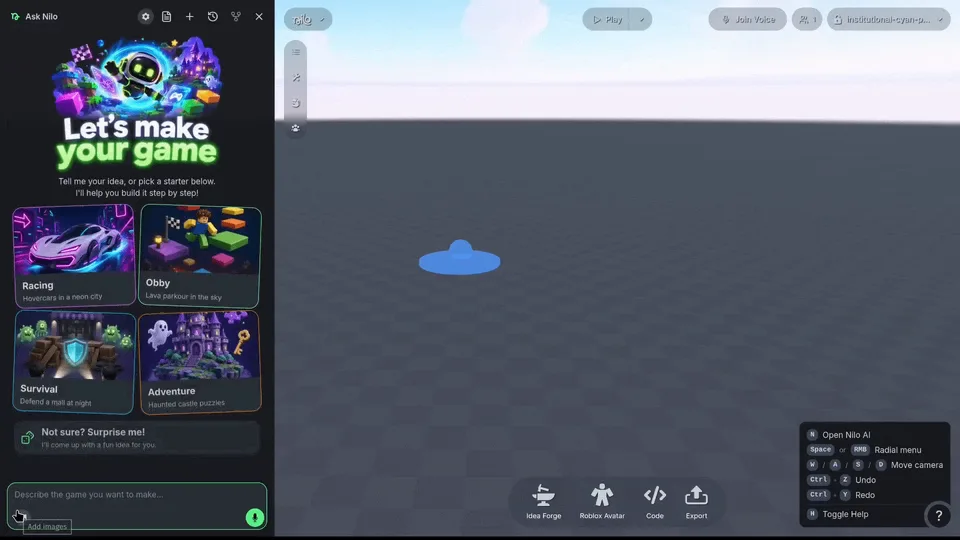
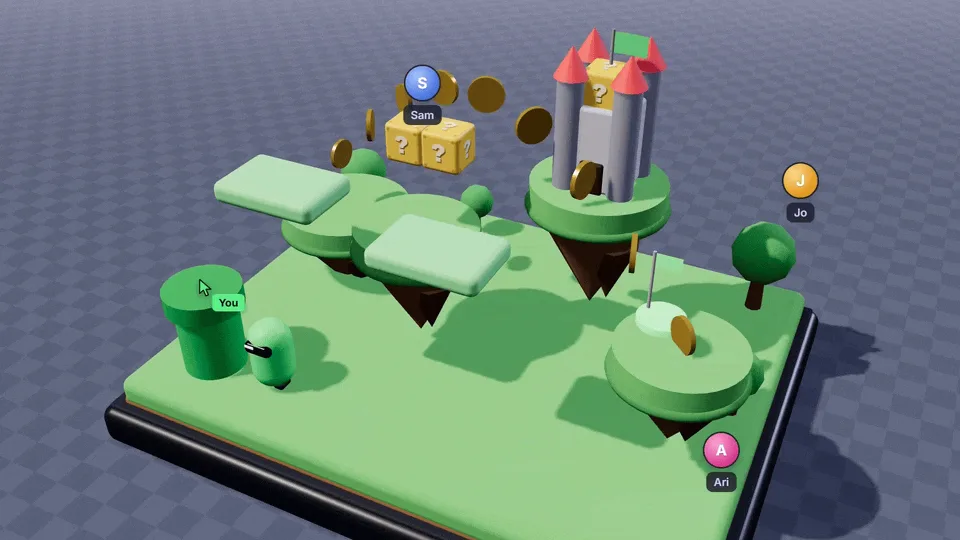
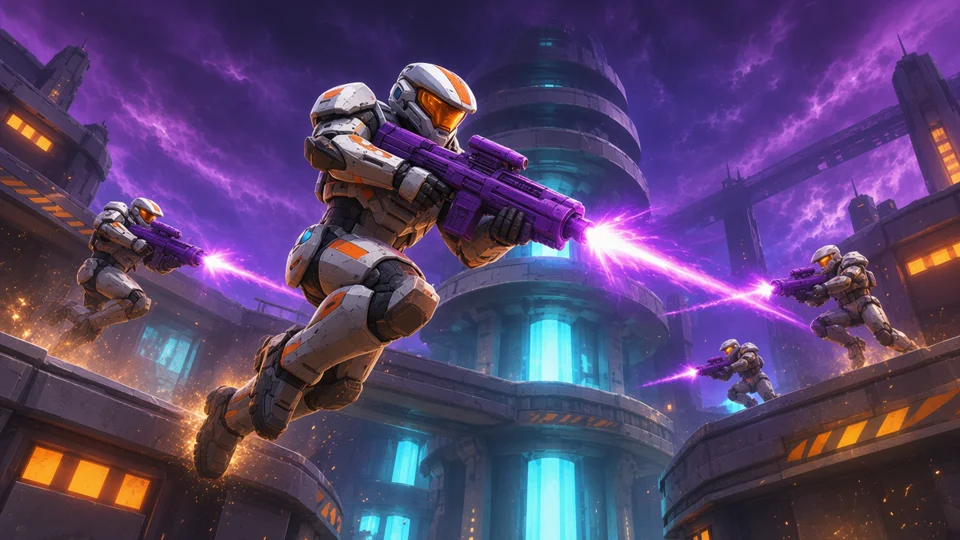
Nilo is a browser game platform in Open Beta, for ages 13 and up. You describe a game, Nilo AI helps build it, then you playtest, change it, and share a link. Friends can build in the same world at the same time. No download.
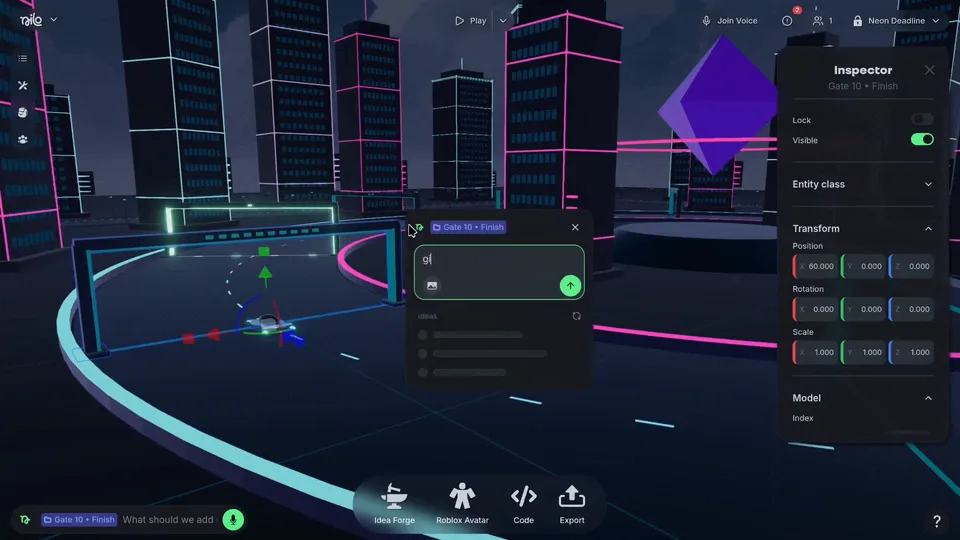
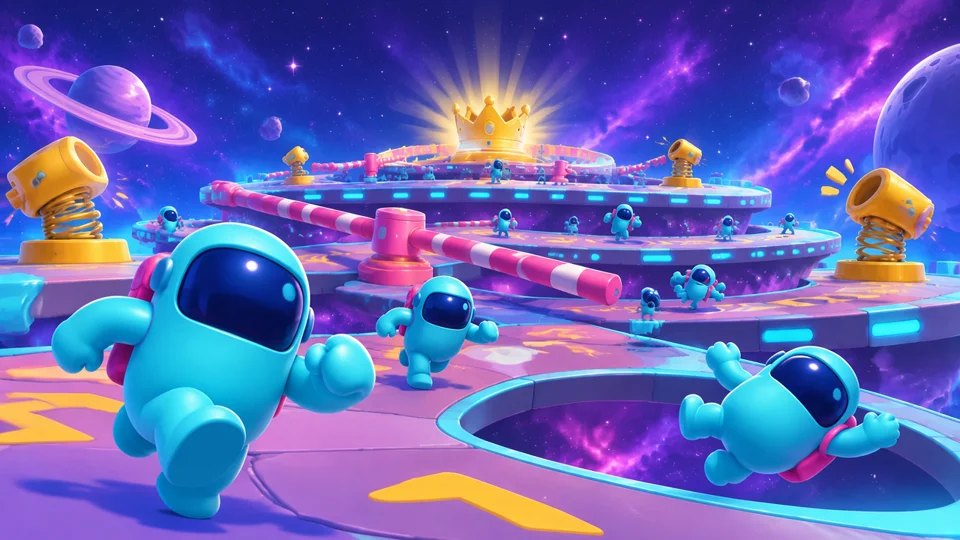
Games made in Nilo
Featured on the Nilo homepage. Names and creators are the credits already on those cards.




Pick this if
Pick Nilo if you want a 3D game in the browser that friends can build and play together.
Skip it if
Skip Nilo if the game has to leave as a standalone Steam, mobile, or console build, or if you want a polished 2D commercial release.
How a project starts
Open play.nilo.io, describe a small game, and play the first demo. You can also paste a public or unlisted YouTube link. Nilo AI watches it, writes a game design document, and builds a demo you refine. Nilo doesn't take a video file. Publish a link when it's ready. Players need a free Nilo account to open it.
- Editor
- Browser. No download. Open Beta, ages 13+.
- Creation
- A description, or a public or unlisted YouTube link, then edit the world and the code
- 2D / 3D
- 3D
- Coding
- Not required to start. The editor has visual editing, direct code, and prompting.
- Collaborative editing
- Yes. Friends can build in the same world at the same time, with shared chats.
- Multiplayer play
- Yes. Friends play together from a link. Opening it needs a free Nilo account.
- Sharing
- A link. The player needs a free Nilo account. No download.
- Export
- Objects export as FBX, GLB, or STL. A whole World exports to Roblox Studio, and that RBXMX file needs Builder or Pro. Workbench Roblox characters download for Roblox. Models also work in Unity, Unreal Engine, and Godot. Roblox import needs models under 10,000 polygons. The playable game stays in Nilo's browser player and is not a standalone build.
- Free access
- Free Starter plan, with limited weekly AI usage.
Distinctive capabilities
- Video to game starts from a public or unlisted YouTube link. Nilo AI writes a game design document and a demo you refine. A video file isn't accepted yet.
- Nilo AI keeps that design document editable, so the next prompt still belongs to the same game.
- It can build 3D models, environments, game logic, characters, animations, sound effects, leaderboards, and UI.
- Mini Agents edit one object at a time, including swapping a primitive for a generated or imported model, while other work continues.
- The editor mixes visual editing, direct code, and prompting. You can start without writing code.
- Friends can build in the same world at the same time, and they can play together. Those are two different things.
Tradeoffs
- The playable game runs in Nilo's browser player. It is not exported as a standalone build.
- Anyone who opens a shared game needs a free Nilo account.
- AI use on the free Starter plan is a limited weekly amount, not unlimited generation.
Price and publishing
Starter is free and includes limited weekly usage of paid AI features. Builder and Pro raise that usage. Prices and the current offer are on the pricing page, not repeated here, because promotions change.
Publish from the Private control, name the world, and choose Sandbox or Spectator. Custom thumbnails shipped on October 8, 2026. A paid plan isn't required to share. Players still need a free Nilo account.
Nilo pricingOfficial siteMake a game
Sources checked November 16, 2026: Games Arrive on Nilo, Pricing, FAQ, Terms of Service, What’s free in Nilo, Exporting from Nilo, System requirements, Nilo AI, Video to game, Nov 10 2026, Custom preview images, Oct 8 2026.

#2 · AI-native game maker
Rosebud AI
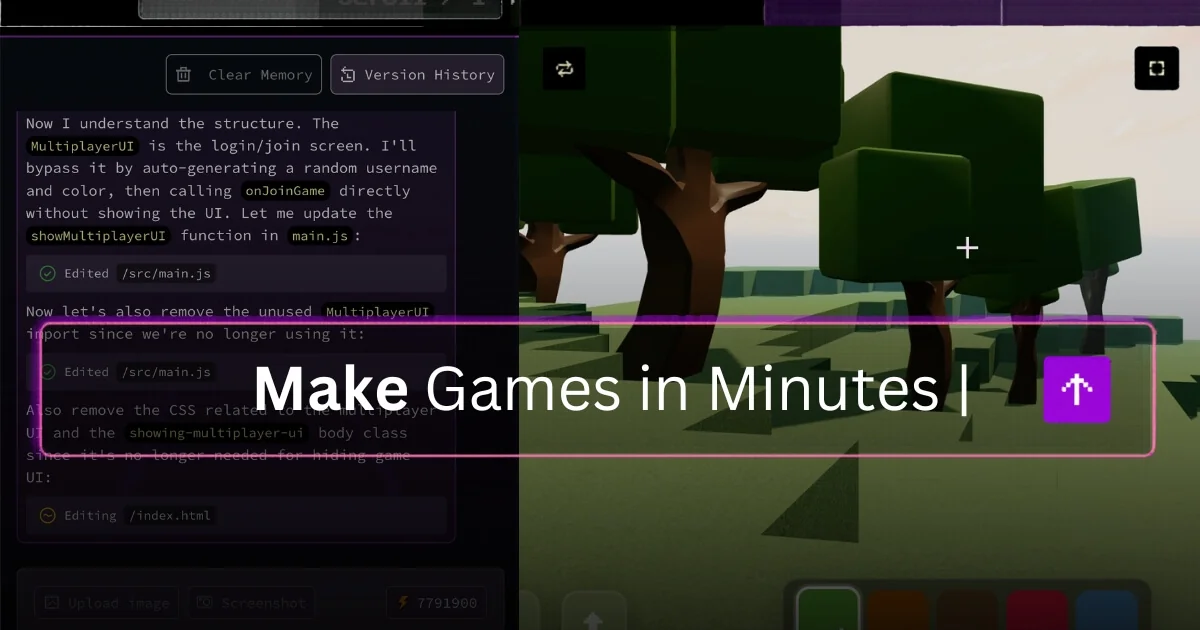
Rosebud turns a plain-language description into a playable browser game, with code, art, and sound generated together. The result is a web game you can publish to a link.
Pick this if
Pick Rosebud if you want a prompt-built 2D or 3D web game, multiplayer rooms, and a path to a Windows build.
Skip it if
Skip Rosebud if several people need to edit the same project live. Remixing and an agent pull/update tool are documented. Live co-editing is not.
How a project starts
Describe the game, let Rosie build a playable version, then change it in chat. Play it in the browser and publish a link. Code editing and a Windows export unlock on paid plans.
- Editor
- Browser
- Creation
- Prompt, then chat edits. Code is available on paid plans.
- 2D / 3D
- 2D and 3D
- Coding
- Not required. JavaScript editing starts on Indie Dev.
- Collaborative editing
- Live co-editing is not documented. Remixing and an agent pull/update tool are.
- Multiplayer play
- Yes. Rosebud’s homepage FAQ says you choose multiplayer when you start. Players join private rooms by link or public rooms online.
- Sharing
- Hosted link. Windows build on Pro and above.
- Export
- A shareable web game on every plan. Downloadable project code and a Windows build start on Pro ($50/month). The pricing FAQ does not list macOS, Linux, Android, or iOS builds.
- Free access
- Free plan with 10,000 credits, refilled weekly in eligible regions.
Distinctive capabilities
- Official pages describe 2D and 3D games, with 3D built as WebGL and Three.js mentioned on the game-maker page.
- You can start without writing code, then view and edit JavaScript in the browser from the Indie Dev plan.
- Pro and higher plans can download the project code and export a Windows build for Steam.
Tradeoffs
- Several people editing the same project at once is not documented. Remixing is, and so is an agent pull/update tool. That is not live co-editing.
- Selling the game needs a 10x Dev plan or higher. Downloading code or exporting Windows needs Pro or higher. macOS, Linux, and native mobile export are not listed in the pricing FAQ.
Price and publishing
Free starts with 10,000 credits and, in eligible regions, those credits refill weekly. Indie Dev is $15/month, 10x Dev is $30/month, Pro is $50/month, and Scale is $100/month. Credits pay for AI edits and generated assets.
Every plan can create, play, remix, and share a hosted link. 10x Dev and higher can sell games and remove Rosebud branding. Pro adds a downloadable project and a Windows build.
Rosebud AI pricingOfficial siteOpen Rosebud
Sources checked November 16, 2026: Rosebud, AI game creator, Pricing.

#3 · AI-native game engine
Summer Engine
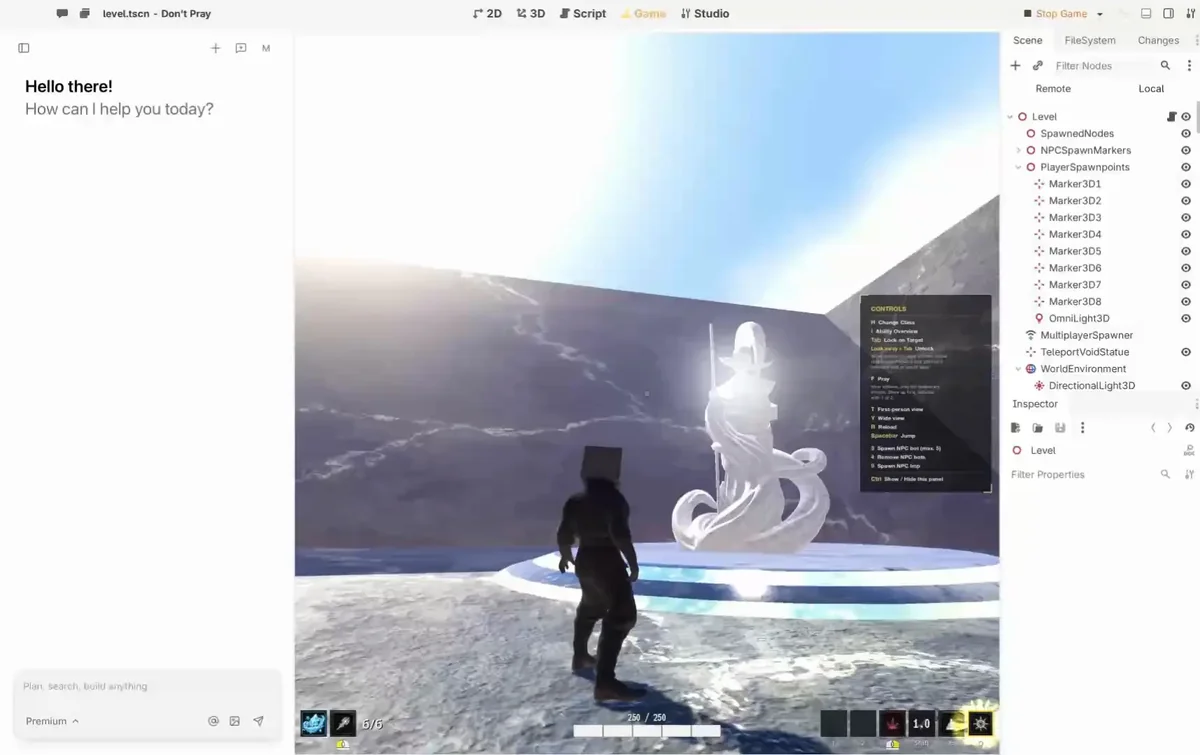
Summer is a desktop game engine with an agent in the editor. You can describe a 2D or 3D game, or work in the engine yourself, and export a project you keep on your machine.
Pick this if
Pick Summer if you want a desktop AI engine and a Windows, Mac, or GDScript web build you keep on your machine.
Skip it if
Skip Summer if you want the editor in a browser tab, or a console build. Summer doesn't ship one.
How a project starts
Install the Summer app, describe the game or edit it directly, and use Summer Agent or your own agent through MCP. Export a desktop build, or a web build for GDScript projects, when you want it off your machine.
- Editor
- Desktop app
- Creation
- Prompt or a full engine. GDScript, C++, or C#.
- 2D / 3D
- 2D and 3D
- Coding
- Not required to start. Engine code is there when you want it.
- Collaborative editing
- A shared Summer Board with friends and agents. Live scene co-editing is not separately documented.
- Multiplayer play
- Yes, through the Summer SDK, with hosted servers and matchmaking.
- Sharing
- Exported builds, Summer Games, or a web build of a GDScript project.
- Export
- One-step desktop builds for Windows and macOS, plus a web build for GDScript projects. Mobile needs manual setup, and iOS needs a Mac. Contact Summer before an App Store or Google Play release. No console export of its own. Source: Summer’s multiplatform page.
- Free access
- Free desktop app, with a small hosted-AI allowance. Paid plans raise AI usage.
Distinctive capabilities
- The docs describe a full 2D and 3D engine using GDScript, C++, or C#, built on Godot core.
- Summer’s FAQ says you can describe a game and have the engine write the code.
- Multiplayer is a product feature: Summer runs servers, matchmaking, parties, saves, and leaderboards through the Summer SDK.
- The Summer Board is a shared live board for you, friends, and agents. That is collaboration around the project. Simultaneous scene editing is not separately documented, so this guide does not count it as co-editing.
Tradeoffs
- The editor is a desktop app, not a browser tab.
- Hosted AI is metered. The free app does not include unlimited agent use.
- One-step builds are Windows, macOS, and a web build for GDScript projects. Mobile needs a manual export preset and signing. iOS needs a Mac. Summer says to contact its team before an App Store or Google Play release. There is no console export of its own.
Price and publishing
The desktop app and local MCP are free. Docs list a free hosted-AI allowance, Basic at $5/month inside the app, then Pro $20/month, Pro+ $60/month, and Ultra $200/month. Basic is documented as missing from the public pricing page. The public pricing page also mentions $6 in one-time welcome credits.
You export builds and can publish them on Summer Games, Steam, itch.io, or your own site. Docs say Summer Games takes 30% of sales there. The multiplatform page says desktop builds you sell on Steam or itch.io do not pay Summer a royalty.
Summer Engine pricingOfficial siteOpen Summer docs
Sources checked November 16, 2026: Summer docs, Pricing, Public pricing, Multiplatform export, FAQ.

#4 · AI-native game maker
Kimi Build
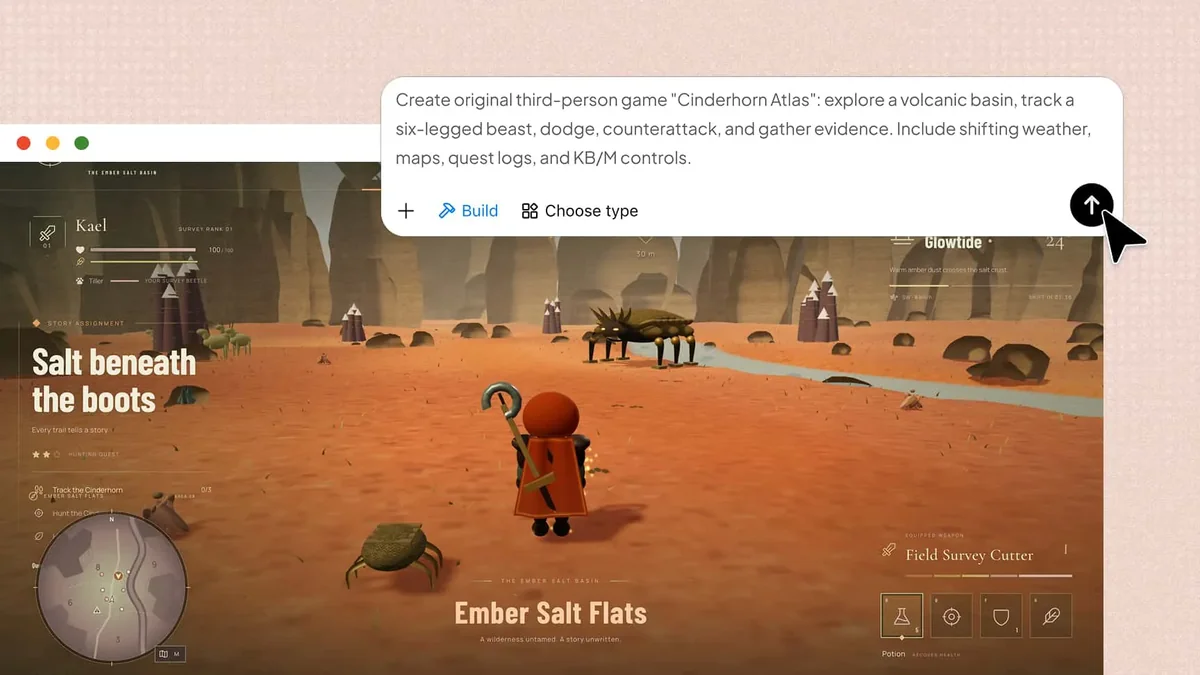
Kimi Build makes a playable 2D or 3D browser game from a description or a reference image, then lets you revise it with follow-up prompts and share a link.
Pick this if
Pick Kimi Build if you already use Kimi and want a prompt-built browser game you can preview, download as code, and share.
Skip it if
Skip Kimi Build if you need live multiplayer or people editing together. Neither is documented. You also can't type code directly in Kimi.
How a project starts
Describe the genre, world, rules, and art direction, optionally with an image. Preview in the browser, change it with more prompts, use version history, and share a link.
- Editor
- Browser
- Creation
- Prompt and reference images, then follow-up prompts
- 2D / 3D
- 2D and 3D
- Coding
- Not required. A Preview/Code view is documented. Typing code directly inside Kimi is not.
- Collaborative editing
- Not documented.
- Multiplayer play
- Not documented. Sharing a link is.
- Sharing
- A link, including on phones, plus a downloadable project.
- Export
- Kimi’s Build help center documents downloading the complete project code. Kimi Work can also continue a project in desktop tools such as Unreal or Blender, which is a different path.
- Free access
- A free allowance just for game creation is not stated on the game-maker pages.
Distinctive capabilities
- Official pages cover both 2D and 3D, including physics, levels, characters, and sound.
- The text-to-game page says generation uses HTML, CSS, JavaScript, and Three.js.
- The Build help center documents a Preview/Code view and downloading the complete project code.
- Version history and phone-or-desktop play from one link are documented.
- Kimi Work is a separate path into tools such as Unreal Engine and Blender. That is not the same as the code download.
Tradeoffs
- Typing code directly inside Kimi is not documented. The Code view shows the project. Co-editing and multiplayer are not documented either.
- Game creation uses Kimi membership credits, shared with Kimi’s other features. A separate free game allowance is not stated on the game-maker page.
Price and publishing
Kimi’s help center lists international membership at Plus $19/month, Pro $39/month, Max $99/month, and Ultra $199/month. That page dates its own price table to October 19, 2026. Credits are a shared monthly pool. Annual billing is also listed.
Preview without a download, then share a link. Desktop and mobile play from that link is documented.
Kimi Build pricingOfficial siteOpen Kimi Build
Sources checked November 16, 2026: AI game maker, Text to game, 3D game creator, Membership pricing, Build help: preview, code, download.

#5 · Visual engine with AI assistance
GDevelop
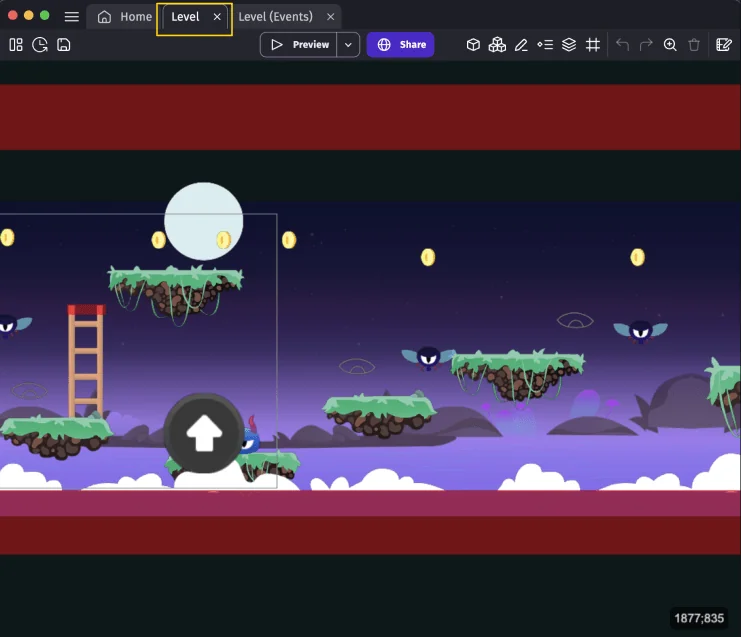
GDevelop is an open-source 2D and 3D engine with a no-code event system, a built-in AI agent, and one-click export. You build the game in the editor. The AI can add features or start from a prompt.
Pick this if
Pick GDevelop if you want an offline-friendly 2D or 3D visual engine, a big extension store, and a real export.
Skip it if
Skip GDevelop if you want one sentence to become a finished 3D game with friends already in it.
How a project starts
Create a project in the desktop, mobile, or browser editor. Place objects, attach behaviors, and write events. Ask the in-editor AI to build a feature or answer a question, then preview and export.
- Editor
- Browser, desktop, and mobile app
- Creation
- Events and behaviors, with an AI agent in the editor
- 2D / 3D
- 2D and 3D
- Coding
- Not required. JavaScript extensions are available.
- Collaborative editing
- Adding collaborators is Pro-only. That is project sharing, not documented live co-editing.
- Multiplayer play
- Yes. Built-in lobbies. Free: 1 lobby, 4 players. Paid: unlimited lobbies, up to 8 players.
- Sharing
- A gd.games link, or an exported build.
- Export
- Web, Android, desktop, and, on Gold or Pro, iOS. Manual export with devtools is a paid-plan row on the pricing table. This is a full-game export, not only an asset download.
- Free access
- Free open-source editor. Online services and AI credits are limited on the free account.
Distinctive capabilities
- The features page documents 2D and real 3D objects, scene editing, and physics.
- Logic is an event sheet. JavaScript extensions exist when you need them.
- Multiplayer lobbies, accounts, and leaderboards are built in. A free account gets one lobby of up to 4 players. Paid plans raise that to unlimited lobbies of up to 8.
- The AI can be prompted to build a feature or start a game, inside the project you can still see and edit.
Tradeoffs
- This is an engine workflow, not a single prompt that hands you a finished 3D multiplayer world.
- Project sharing with teammates is listed on Pro, not on the free plan. That is project sharing, so this guide does not treat it as live co-editing.
- Free publishing is capped: one desktop publish and one Android publish per day. iOS starts on Gold. Adding collaborators is Pro-only.
Price and publishing
The editor is free and open source under the MIT license stated on the pricing page. A free account includes 40 AI credits a month and 3 cloud projects. Silver is $7.99/month or $54.99/year. Gold is $13.99/month or $95.99/year. Pro is $39.99/month or $399.99/year. Education is $3.29 per user per month or $19.99 per user per year. Companies above $50,000 in yearly revenue are required to use Pro.
Unlimited publishing to gd.games on every listed plan. Desktop and Android builds are quota-limited until Pro. Gold and Pro add iOS. The features page also lists store paths such as Steam.
GDevelop pricingOfficial siteOpen GDevelop
Sources checked November 16, 2026: Features, Pricing, Multiplayer docs.

#6 · AI-native game maker
Astrocade
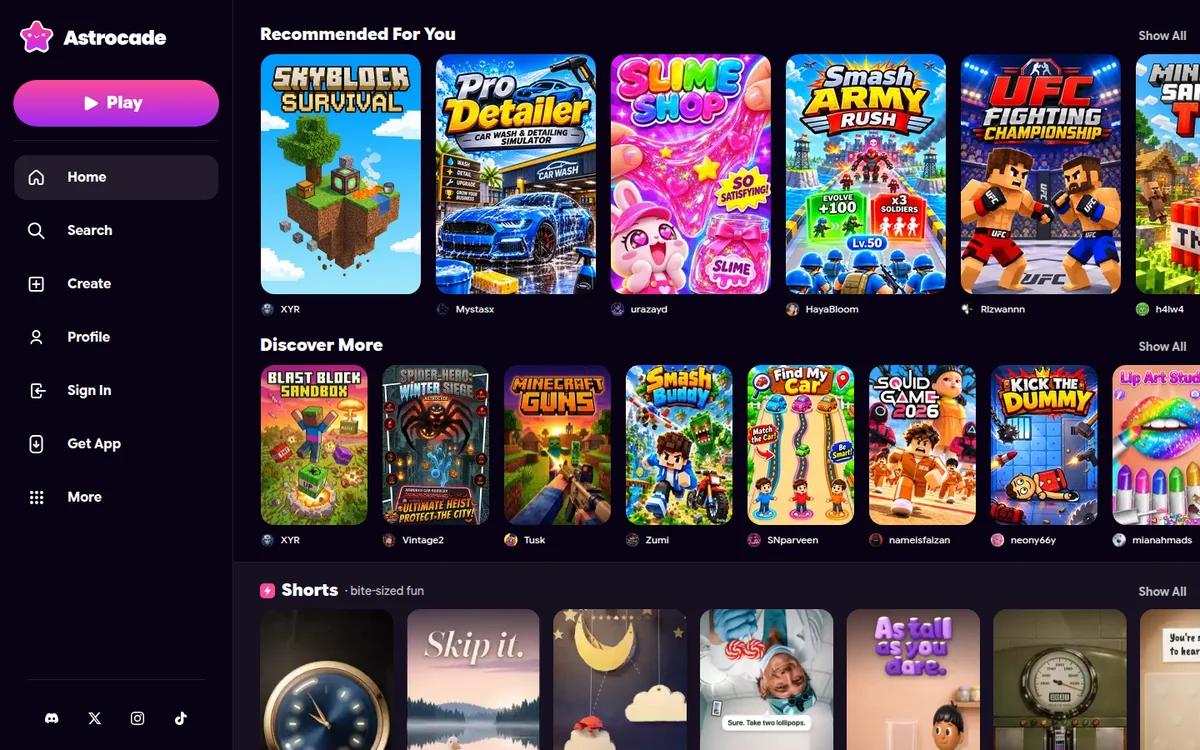
Astrocade is a place to play short games and to make one by describing it. The maker builds art, sound, and gameplay, then you publish into Astrocade’s feed.
Pick this if
Pick Astrocade if you want a free prompt-to-play game in a feed, including on iPhone, and you plan to keep the game there.
Skip it if
Skip Astrocade if you need real-time co-play or any export. Neither is documented, and its terms keep AI-made assets on Astrocade.
How a project starts
Open Astrocade, describe the game, play the result, tweak it, and publish it to the feed. Share the link so other people can play.
- Editor
- Browser, Android, and iOS
- Creation
- Describe a game. The AI builds art, sound, and logic.
- 2D / 3D
- 2D and 3D
- Coding
- Not required, according to the Play listing.
- Collaborative editing
- Not clearly documented.
- Multiplayer play
- Link sharing and leaderboards. Real-time play is not documented.
- Sharing
- A link and the Astrocade feed.
- Export
- No export. Astrocade’s terms limit its AI-made assets to use on Astrocade.
- Free access
- Described by Astrocade as free to play and free to create.
Distinctive capabilities
- Astrocade’s blog says every tool and asset generator is free, and it does not list a paid creation plan.
- The same blog shows 3D games made on the platform, including Three.js scenes, alongside flatter games.
- There is an iOS app as well as the browser and the Android listing.
- The Google Play listing says you can share a game, challenge friends, and compare scores.
Tradeoffs
- Collaborative editing is not documented.
- There is no export. Astrocade’s terms limit its AI-made assets to use on Astrocade.
- Real-time play is not documented. What is documented is a link and leaderboards.
- The free claim is Astrocade’s own blog post.
Price and publishing
Astrocade’s blog says creation is completely free and that every tool and asset generator is included. No public price table was used for this guide. The Play listing also says playing and making are free.
Publish into the Astrocade feed and share a link. Creator payouts are mentioned on the blog as based on plays. The terms of that program were not re-derived here.
Astrocade pricingOfficial siteOpen Astrocade
Sources checked November 16, 2026: Astrocade, Free creation post, 3D games post, Google Play listing, iOS announcement, Terms of service.

#7 · Visual game maker
Flowlab
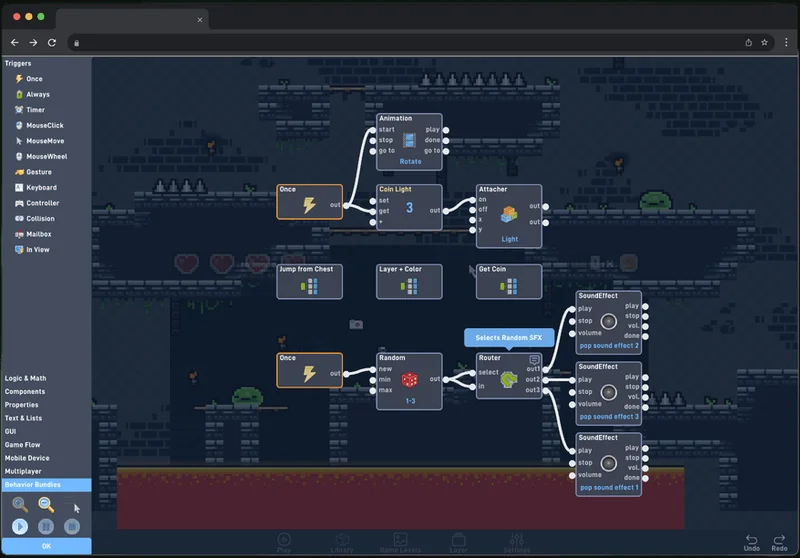
Flowlab is a browser game maker for 2D games. You wire visual behaviors instead of writing a program, share a page immediately, and export native apps on a paid plan.
Pick this if
Pick Flowlab if you want a 2D browser game made from behavior blocks, including a classroom.
Skip it if
Skip Flowlab if you want 3D, or an AI prompt that builds the game.
How a project starts
Build levels and objects in the browser, connect behavior blocks, press play, and share the hosted game page. Indie adds export, team collaboration, and browser multiplayer.
- Editor
- Browser
- Creation
- Visual behavior graphs. Not an AI prompt-to-game tool.
- 2D / 3D
- 2D only
- Coding
- Not required. Typed custom behaviors are a paid option.
- Collaborative editing
- Yes, on Indie.
- Multiplayer play
- Yes for browser games, on Indie.
- Sharing
- Hosted page on the free plan. Native builds on paid plans.
- Export
- No export on the free plan. Paid plans export a full game to iOS, Android, Windows, and Mac, plus a self-hosted HTML5 build.
- Free access
- 3 games, 5 levels, 50 objects, no export.
Distinctive capabilities
- The editor and the games run in the browser. Nothing to install.
- Logic stays visible as a behavior graph. Paid plans add typed custom behaviors.
- Team collaboration and browser multiplayer come with Indie.
Tradeoffs
- Flowlab is 2D only. It is not an AI game generator.
- The free plan is 3 games, 5 levels, 50 objects, and no export.
Price and publishing
Free is $0 with the project caps above. Indie is $9/month or $59/year. Teacher is $41.50/month or $249/year per teacher, covering 25 students. The export guide also names Education and Studio as plans that can export.
Every game gets a hosted page. Paid plans add HTML5 download plus iOS, Android, Windows, and Mac builds, and the ability to sell those builds.
Flowlab pricingOfficial siteOpen Flowlab
Sources checked November 16, 2026: Flowlab, Features, Pricing, Export guide.

#8 · Traditional 2D engine
GameMaker
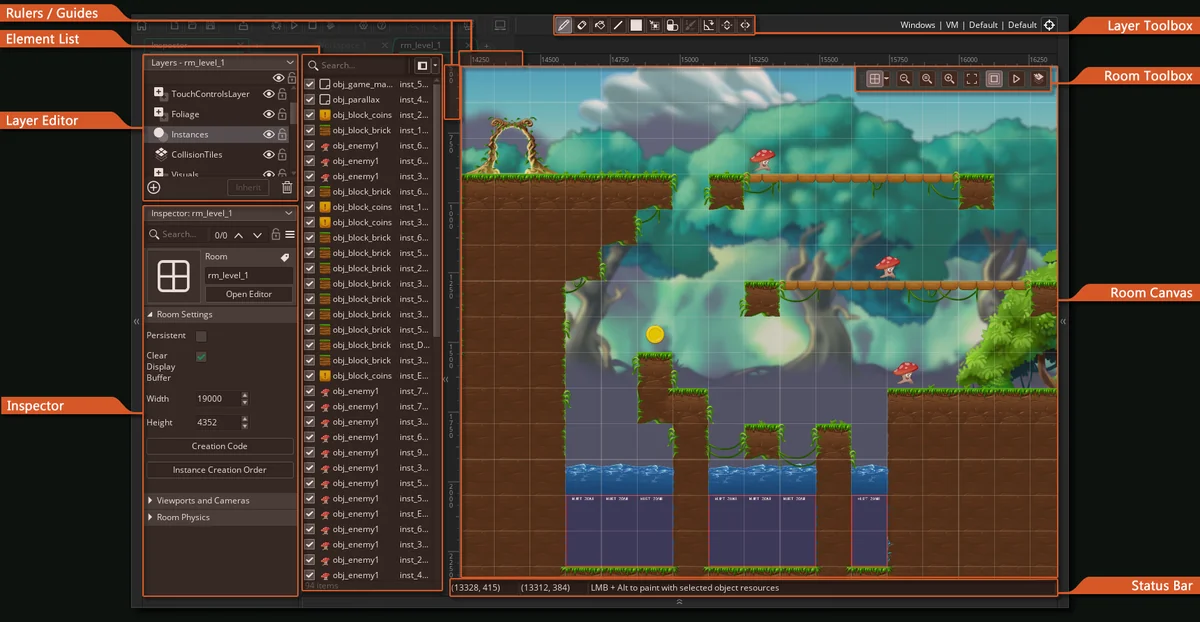
GameMaker is a desktop engine for 2D games. You can drag actions with GML Visual or write GML Code. It is the right comparison when the goal is a polished 2D commercial release, not a prompt.
Pick this if
Pick GameMaker for a polished 2D commercial release, with desktop, mobile, web, or, on Enterprise, consoles.
Skip it if
Skip GameMaker if you want 3D, a prompt that makes the game, or a free commercial release today. The licence page still requires Professional to sell.
How a project starts
Install GameMaker, build the project in the IDE with GML Visual or GML Code, and export a build for the license you have. Publishing to a store is your step after the export.
- Editor
- Desktop IDE
- Creation
- IDE, with GML Visual or GML Code
- 2D / 3D
- 2D
- Coding
- GML Visual (drag-and-drop) or GML Code. Typing code is optional.
- Collaborative editing
- Not included. Use your own source control.
- Multiplayer play
- You build it. No hosted multiplayer service is included.
- Sharing
- An exported build or a GX.games upload.
- Export
- Full-game export to GX.games, Windows, macOS, Ubuntu, HTML5, Android, iOS, and tvOS. Consoles require Enterprise plus platform approval.
- Free access
- Free for non-commercial use. Commercial release is paid.
Distinctive capabilities
- Free for non-commercial use, including GX.games, desktop, mobile, and HTML5 export.
- Professional is a $99.99 one-time license for commercial release on those non-console platforms.
- Enterprise is $79.99 a month or $799.99 a year and adds Xbox, PlayStation, and Nintendo Switch, after you are an approved developer.
- The current manual still documents GML Visual, the drag-and-drop actions, so you do not have to type GML.
- An October 23, 2026 blog post says the newer GMRT runtime will be free for commercial use from January 1, 2027. The licence page still says commercial use needs Professional. That is the rule today.
Tradeoffs
- It is not an AI game maker. A prompt will not produce the game.
- The product described on the export pages is 2D. This guide does not treat GameMaker as a 3D engine.
- Collaborative editing is not part of the license pages checked. You use your own source control.
- Multiplayer is something you build. A hosted “share this link and play” service is not included.
Price and publishing
Free for non-commercial use. Professional is $99.99 once for commercial non-console releases. Enterprise is $79.99/month or $799.99/year for consoles and source access.
Export a build, then submit it to the store yourself. GX.games publishing is available on the free license. Commercial sale needs Professional or Enterprise.
GameMaker pricingOfficial siteOpen GameMaker
Sources checked November 16, 2026: Licenses, Upgrade guide, Free version, GMRT announcement, GML Visual in the manual.

#9 · Open-source engine
Godot
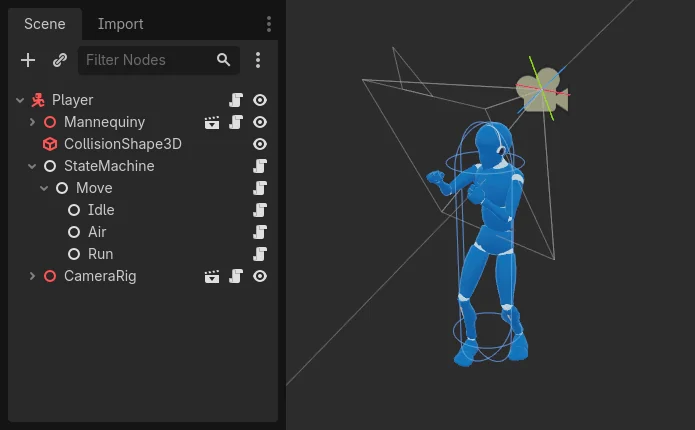
Godot is a free and open-source engine for 2D and 3D games. You make the game in a desktop editor and export the project yourself. It does not ship a prompt-to-game generator.
Pick this if
Pick Godot if you want a free 2D and 3D engine, the project files, and a standalone build with no seat fee.
Skip it if
Skip Godot if you want a prompt to become a playable game tonight. Godot doesn't ship that.
How a project starts
Download the editor, build scenes, write GDScript, C#, or C++, and export a build for the platform you set up. Any AI help comes from a separate tool you add.
- Editor
- Desktop editor
- Creation
- Scenes and code. AI is not built in as a game generator.
- 2D / 3D
- 2D and 3D
- Coding
- GDScript, C#, or C++. You write the game.
- Collaborative editing
- Not built in. Use version control.
- Multiplayer play
- Supported by the engine. You build the netcode and host it.
- Sharing
- A build you export and host.
- Export
- Full-game export for desktop, mobile, and web is part of the engine. Console publishing is a separate platform process and is not a one-click Godot button.
- Free access
- Free and open source. No usage meter for the editor.
Distinctive capabilities
- The official site describes it as a free and open-source 2D and 3D engine.
- There is no license fee to use the engine or to sell what you make with it.
- You can bring a Godot project into other Godot-based tools. Summer, for example, says it can open Godot projects.
Tradeoffs
- Nothing in the engine turns a sentence into a game. AI assistants are separate products.
- There is no built-in live co-editor. Teams use Git or another version-control tool.
- Multiplayer exists as engine features you implement and host. It is not a hosted share-a-link service.
- You are the one who sets up export templates, signing, and store submission.
Price and publishing
Free to download and use. Godot does not sell a seat license. Hosting, stores, and any third-party AI tool are priced by those services.
Export a build from the editor and publish it where you choose. The engine does not host the game for you.
Godot pricingOfficial siteOpen Godot
Sources checked November 16, 2026: Godot Engine, Download.
Useful tools that are not game makers
These two show up in roundups of “AI game makers.” They solve a different job. Use them beside an engine, not instead of one. The filters above do not apply here.

Ideation and asset tool
Ludo.ai
Ludo is a game-ideation and asset tool. It generates concepts, design notes, sprites, 3D models, audio, and video. It does not hand you a playable game world.
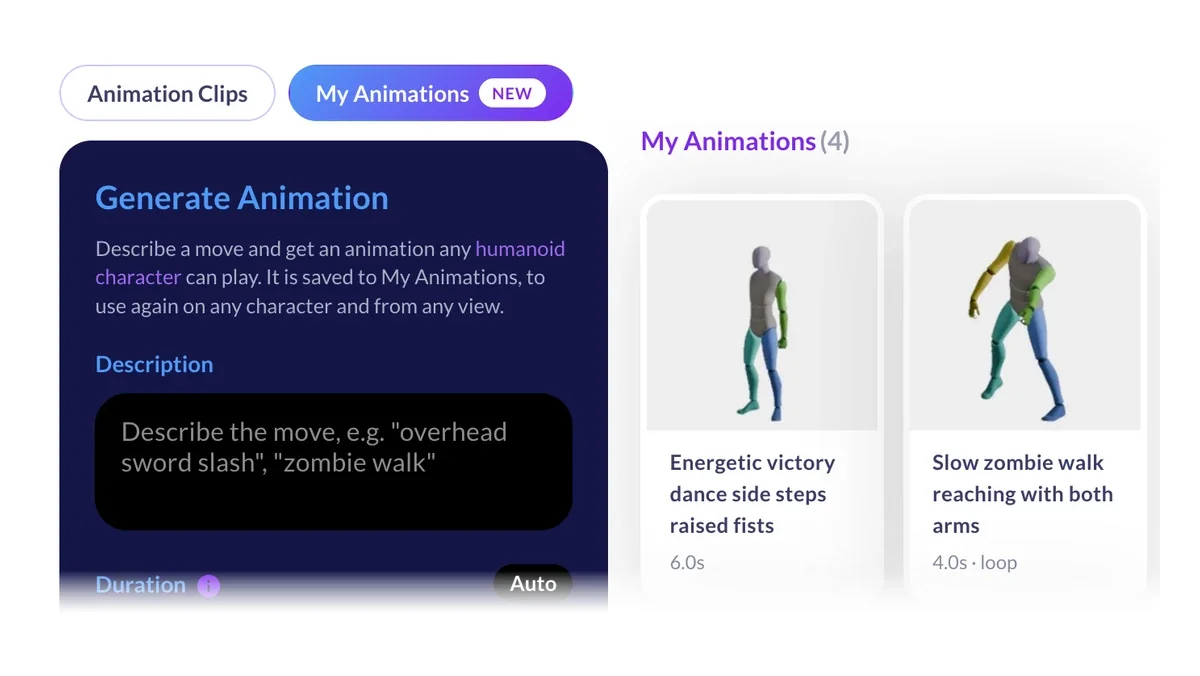
Pick this if. Pick Ludo if you already have an engine and want ideas, sprites, 3D models, audio, or video for it.
Skip it if. Skip Ludo if you need a playable game. Ludo makes the pieces, not the runtime.
Free trial. Indie is $20/month, or $15/month billed annually ($180/year), with 250 credits a month and 5 active projects. Pro is $50/month, or $35/month billed annually ($420/year), with 1,000 credits a month and unlimited ideation and image generation in the web app. Studio is $350/month, or $300/month billed annually ($3,600/year), with 1,000 credits a month, 10 seats, and realtime collaboration. Annual plans get the year's credits upfront.
Asset and document export. Not a complete playable game.

Character and voice runtime
Inworld AI
Inworld is a runtime for character voice, speech-to-text, and language models. You add it to a game you already have. It does not create the game.
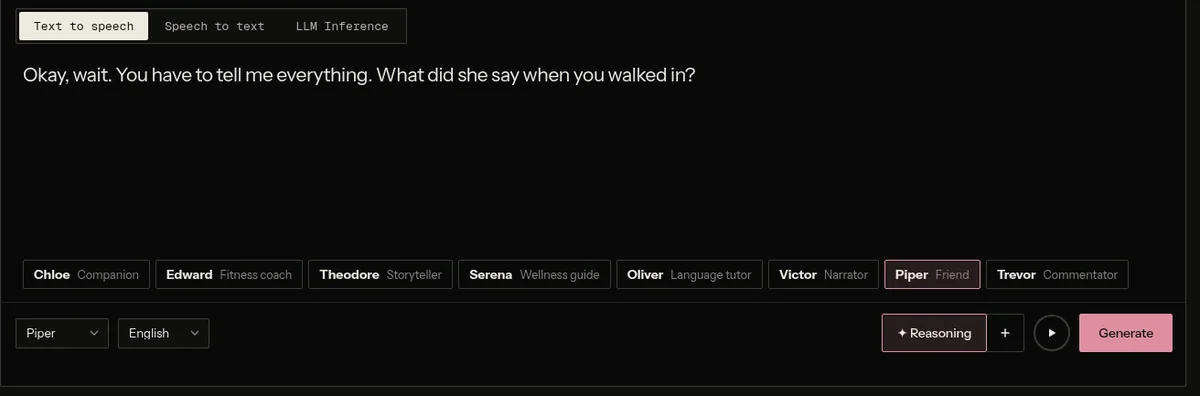
Pick this if. Pick Inworld if a game you already have needs character voice or dialogue.
Skip it if. Skip Inworld if you need something that makes the game. It doesn't.
On-Demand is pay as you go. Creator is $25/month, Builder is $100/month, Developer is $300/month, and Growth is $1,500/month. Workspace sharing starts on Builder, not on every paid plan. Each paid plan includes credits equal to its price. Rates drop on higher tiers.
Not a game export tool.
What to choose
Pick from the job, not from a single winner. The same person can want Nilo tonight and Godot when the project has to ship as its own build.
Making a first game without coding
If you don't want to type code, start in Nilo, Rosebud, Kimi Build, Astrocade, GDevelop, Flowlab, or GameMaker's GML Visual. Pick Nilo when the game should be 3D and friends should be in it. Pick Flowlab or GDevelop when you want every rule as a block or an event. Pick Rosebud, Kimi, or Astrocade when a paragraph should become the first playable version.
Building a 3D world in the browser
Nilo, Rosebud, Kimi Build, Astrocade, and GDevelop all document 3D in a browser editor. Summer also makes 3D games, and its editor is a desktop app. Godot is the open-source 3D engine when you are ready to work in scenes and code on your own machine.
Making something with friends
Nilo documents both building together and playing together in the same browser world. Rosebud documents multiplayer rooms: private by link, or public online. It does not document several people editing at once. Flowlab's Indie plan includes team editing and browser multiplayer, for 2D games. GDevelop documents multiplayer play, and collaborators on Pro. Summer documents a multiplayer SDK. Kimi and Astrocade document a share link. They do not document a live match or live co-editing.
Creating a quick prototype
Use Nilo, Rosebud, Kimi Build, or Astrocade when the prototype should be playable today from a description. Use GDevelop or Flowlab when the prototype is a mechanic you want to wire by hand and keep. A prototype is a first version you play and change. None of these tools owes you a finished commercial game from one sentence.
Learning a traditional engine
Choose Godot to learn 2D and 3D with no seat fee. Choose GameMaker for a 2D production pipeline. You can drag GML Visual or write GML Code, and you need Professional to sell today. Choose GDevelop if you want events before you write code. These are learning paths, not prompt boxes.
Requiring a particular standalone export
If the game has to leave as a Windows, Mac, mobile, or console build, start from the export column. Godot, GameMaker, GDevelop, Flowlab, Summer, Rosebud’s Pro plan, and Kimi’s project download each cover a different slice. Nilo is the wrong pick here. Objects leave as FBX, GLB, or STL. A whole World can go to Roblox Studio, and models also open in Unity, Unreal Engine, and Godot. The playable game does not. It runs in Nilo’s browser player.
Generating assets or adding AI characters
Use Ludo.ai for concepts, sprites, 3D models, audio, and video. Use Inworld when a game you already have needs character voice. Workspace sharing there starts on Builder. Use Nilo when you want the 3D models inside a game you are also making.
Prompts to try in Nilo
Eight small games. Each one has a first prompt and a follow-up that makes the first playtest easier to read. They are prompts to try, not tested templates, and Nilo does not open with the prompt already filled in. Paste it yourself.
Haunted house
The example used in the Nilo tutorial. Treat it as a starting point, not a finished game.
First prompt
A small multiplayer haunted-house game where friends explore, find objects, and avoid a ghost.
Follow-up
Make the house one floor with four rooms. Add three objects to find and a slow ghost that patrols the hall.
Lava courtyard
First prompt
A small co-op courtyard where the floor turns to lava in patches and friends have to reach a bell.
Follow-up
Slow the lava down, mark the safe tiles, and add a ten-second timer that shows on screen.
Snow sumo
First prompt
A tiny snow arena where two players push each other. The one who stays on the ice wins the round.
Follow-up
Add a round counter to three, a short countdown, and a reset button when someone falls off.
Rooftop parcel
First prompt
A short 3D delivery game on one rooftop. Carry a parcel to a marked door without falling off.
Follow-up
Add a visible path, a parcel counter, and one moving obstacle instead of a large city.
Reef salvage
First prompt
A small underwater salvage game. Swim to three glowing crates and bring them back to the boat.
Follow-up
Keep the map to one wreck, add an air meter, and show how many crates are left.
Ghost tag
First prompt
A multiplayer tag game in a small moonlit yard. One player is the ghost. Tag someone to switch.
Follow-up
Shrink the yard, add a 60-second round, and put the current ghost’s name on screen.
One switch bridge
First prompt
A one-room puzzle. A switch extends a bridge for five seconds, and the player has to cross before it drops.
Follow-up
Add a second switch on the far side and a clear win message when both sides are reached.
Night market
First prompt
A small night-market stall game. Friends walk between three stalls and collect one item from each.
Follow-up
Label the stalls, add a checklist on screen, and play a short sound when an item is collected.
A co-op zombie arena, typed out
Paste this. Don't expect it to be finished.
A small co-op zombie arena. Two players share a fenced yard, shoot or shove zombies, and survive three waves.
Nilo AI writes a game design document and a demo. Play the demo. If a wave never ends, or a zombie never moves, say that next. The filmed walkthrough, with approximate timestamps, is the haunted-house tutorial on the AI game maker page. Uploaded November 12, 2026.
- Prompt. The sentence above. One yard, two players, three waves.
- What Nilo AI does. A design document, then a playable demo. You can also paste a public or unlisted YouTube link. Nilo doesn't take a video file.
- What you change. “End the game after three waves. Put the wave number on screen. Make the zombies walk toward the nearest player.”
- What usually needs a second pass. A round that never ends, or an enemy that stands still. I can't promise which one you'll get. I can promise the first demo is a draft.
- Friends. Send the link. One person can keep building. The others can play. Those are different steps.
FAQ
Can I turn a video into a game?
In Nilo, paste a public or unlisted YouTube link. Nilo AI watches it, writes a game design document, and builds a demo you refine. Nilo doesn't take a video file. I didn't check the other tools for the same feature.
What is an AI game maker?
An AI game maker turns a description into something you can play, then lets you change it. Some tools generate the whole browser game. Some are engines with an assistant inside. A sprite generator or an NPC voice tool is not an AI game maker, even when it is useful next to one.
Which tool is suitable for beginners?
If you want a 3D game in the browser and friends in the same world, start with Nilo. If you want a 2D visual project you can later export, look at Flowlab or GDevelop. If you want to learn an engine on purpose, look at Godot or GameMaker. The beginner choice is the one that matches the first thing you want to play, not the longest feature list.
Can AI make a complete playable game?
It can make a first playable version: a space, a control, and a rule. That version still needs a playtest. Check the controls, the objective, and the ending, then change the prompt or the editor. Treat the first result as a draft.
Can I make games without coding?
Yes, in Nilo, Rosebud, Kimi Build, Astrocade, GDevelop, Flowlab, and GameMaker's GML Visual. Nilo's editor also has direct code and prompting if you want them later. Godot expects you to write code. Summer can start from a description and also opens the engine.
Can AI make multiplayer games?
Nilo can. Friends build in the same world at the same time, and they can play together from a link. Opening that link needs a free Nilo account. Rosebud's homepage FAQ says you choose multiplayer at the start, then join a private room by link or a public room. GDevelop and Flowlab document multiplayer with plan limits. Summer documents a multiplayer SDK. A share link on Kimi or Astrocade means someone can open the game. It does not mean they share a live match.
Which tools work in a browser?
Nilo, Rosebud, Kimi Build, Astrocade, Flowlab, and GDevelop’s web app run the editor in a browser. Summer, GameMaker, and Godot are desktop editors. A browser game can still be made in a desktop editor and then exported.
What does “free” actually include?
It is different on every tool. Nilo’s Starter plan is free with limited weekly AI usage. Rosebud’s free plan is a weekly credit grant. Godot’s editor is free without a usage meter. GameMaker is free for non-commercial use. Astrocade’s blog says creation is free. Kimi does not state a separate free allowance for games. Read the pricing link on the tool before you start a long project.
What is the difference between a game maker, an engine, an asset generator, and an NPC tool?
A game maker produces something you can play and share. An engine is the editor and runtime you use to build that game yourself, sometimes with an AI assistant. An asset generator, such as Ludo, makes ideas or art you import. An NPC tool, such as Inworld, adds character voice or dialogue to a game that already exists.
Can I export a complete game, or only assets?
Godot, GameMaker, GDevelop, Flowlab’s paid plans, Summer, Rosebud’s Pro plan, and Kimi’s project download document a build or a project you can take out. Nilo exports objects as FBX, GLB, or STL. A whole World exports to Roblox Studio, and models also work in Unity, Unreal Engine, and Godot. The playable game runs in Nilo’s browser player and is not a standalone build. Astrocade has no export. Ludo and Inworld are not game exporters.
Sources and how to update this
I wrote this for Nilo. The criteria are a playable game, where the editor runs, 3D, building together, playing together, whether you can start without code, what free includes, and whether you can take a finished game out or only pieces of one. Pages were checked on November 16, 2026. I did not playtest every competitor, and there are no benchmarks.
Kimi's membership table is dated by Kimi to October 19, 2026. Summer's Basic plan is documented as an in-app offer, not on the public pricing page. Ludo's prices and credits come from its pricing page, rechecked on November 17, 2026. Logos and screenshots are taken from each company's own site, docs or share image and belong to those companies. Each screenshot's caption links to the page it came from. The Astrocade and Inworld screenshots are captures of their public pages on November 17, 2026. Nilo's clips and game cards are Nilo's own.
Nilo
Rosebud AI
Summer Engine
Kimi Build
GDevelop
Astrocade
Flowlab
GameMaker
Godot
Ludo.ai
Inworld AI
Related reading: the Nilo AI game maker page, the games announcement, The Best AI Game Generator Tools for Complete Beginners, and AI Game Builder for Beginners.