Written by: Nuno Leiria, Founder & CEO @ Nilo | Last updated: August 6, 2026
Key Takeaways
- Prompt-only AI game tools feel fast at first but fall apart when you want real creative control or iteration.
- Staying inside a full 3D engine with AI as your co-pilot keeps you in control and avoids the constant “start over” loop.
- Nilo combines vibe coding with a browser-based C++ engine, LOD controls, one-click rigging, and FBX/glTF export to Roblox, Unity, and more.
- You can follow a repeatable six-step workflow to generate, rig, optimize, playtest, and export production-ready assets in minutes.
- Join Nilo’s open beta and start building playable 3D games this weekend, with no downloads or coding required.
Meet Nilo: A Browser Game Engine You Can Talk To
Nilo is a browser-based 3D creation platform for builders and game developers that runs on a custom C++ physics engine compiled to WebAssembly and accelerated with WebGPU. This uses the same browser tech shift that let Figma bring pro design tools to the web. You skip downloads, installs, and expensive hardware.
Inside Nilo, you get a natural language code editor for vibe coding. You describe what you want in plain English, Spanish, or any language, and working code appears with real-time feedback in your 3D world. You also get one-click rigging for bipedal humanoid characters, an LOD slider that adjusts polygon counts on the fly to meet Roblox’s 10K–20K triangle caps, and direct FBX/glTF export that works with Roblox Studio, Unity, Unreal Engine, Blender, and VRChat.
Nilo’s AI layer is model-agnostic. It hides providers like Meshy, Tripo, Cartwheel, Nano Banana, and Uthana behind one interface. As those models improve, your results in Nilo improve automatically.
Here are the six repeatable steps you follow inside Nilo:
- Describe or sketch your core object using a text prompt, a drawn sketch, or a reference image.
- Generate and refine with prompts, iterating on shape, color, and style without leaving the platform.
- Rig and animate with one click. Bipedal characters in a T-pose get full rigs and animations from a text description.
- Adjust the LOD slider to hit your target triangle budget, usually under 20K for Roblox.
- Playtest via share link so anyone can jump in and play instantly on desktop or mobile.
- Export FBX or glTF directly to Roblox Studio or any other platform.
These steps work for any type of game or asset. The seven examples below show how builders like you applied this exact workflow to ship playable projects and assets, from weapons to full multiplayer worlds.
7 Real Builds Made with Nilo’s Vibe Coding Workflow
The examples below show what becomes possible when vibe coding happens inside a real engine. Each one follows Nilo’s six-step workflow. Treat them as templates you can remix this weekend.
Fantasy Sword Showcase – Built in Nilo. A builder typed “ornate elven longsword with glowing runes” and refined the texture with two follow-up prompts. The sword exported as FBX to Roblox Studio in under 15 minutes. One builder summed it up in Nilo’s February 2026 survey: “Picture yourself, frustrated because you spent the last 5 hours 3D modeling a shipping container. All I have to do is open Nilo and do it in 20 seconds.”

How to build something similar:
- Open Nilo and type your weapon description into the prompt field.
- Refine with short, comma-separated prompts like “add glow effect, sharpen blade edge, darken handle”.
- Skip rigging for static props and go straight to the LOD slider, targeting under 10K triangles.
- Playtest by dropping the sword into your Nilo world and walking around it.
- Export as FBX and import into Roblox Studio through the Asset Manager.
Sci-Fi Character Avatar – Built in Nilo. A builder uploaded a reference image of a robot design, generated the base mesh, then used one-click rigging to get a fully animated character ready for Roblox. As they put it in Nilo’s February 2026 survey: “There are no limits on what you can create, just type, draw or add in an image and you can generate, rig, customise and place a fully 3D model within minutes.”

How to build something similar:
- Upload your reference image or sketch directly into Nilo’s prompt interface.
- Generate the base mesh and refine proportions with follow-up text prompts.
- Use one-click rigging and keep your character in a T-pose for best animation quality.
- Type an animation description like “walking cycle, arms swinging” to generate motion.
- Adjust the LOD slider to under 20K triangles, then export FBX for Roblox Studio.
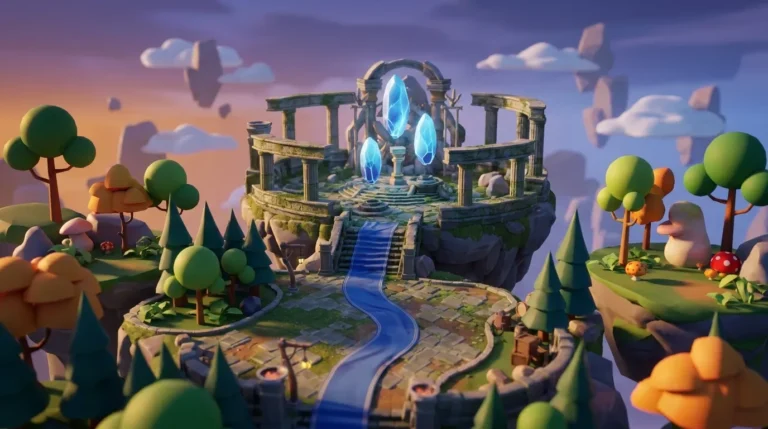
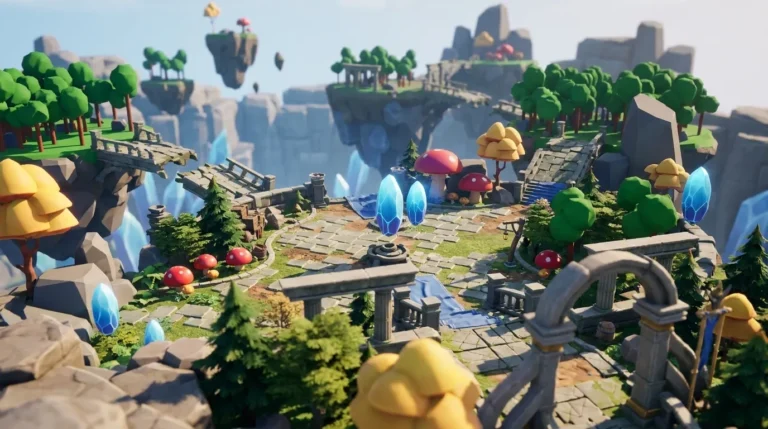
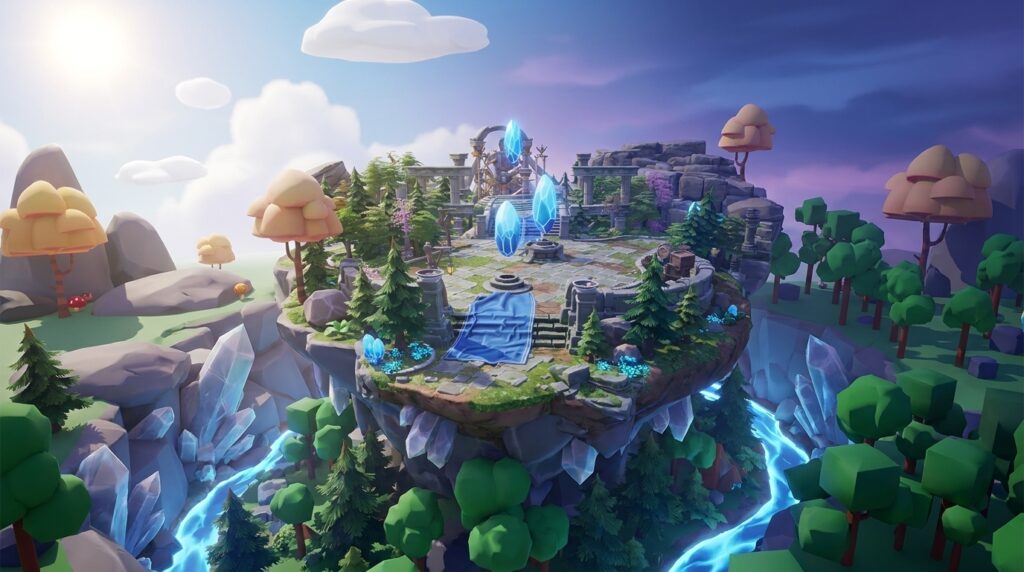
Floating Island Environment – Built in Nilo. A builder used Nilo’s procedural world tools and AI generation to assemble a full floating-island map with custom props, then shared it with friends through a link for real-time exploration.

How to build something similar:
- Start with a terrain prompt such as “floating island, grassy top, rocky underside, waterfalls”.
- Use the radial menu to add primitives and AI-generated props like trees and rocks.
- Customize sky and environment settings in the inspector panel.
- Share the link with friends so you can playtest together before exporting individual assets.
- Export key props as glTF for use in Roblox Studio or Unity.
Custom Roblox Skin – Built in Nilo. A builder generated a flat Roblox character texture in Torso and Leg R15 format using Nilo’s Workbench, then uploaded it directly to Roblox. Blender never entered the workflow.
How to build something similar:
- Open Nilo’s Workbench and describe your character’s look, for example “cyberpunk streetwear, neon accents”.
- Refine colors and patterns with follow-up prompts.
- Export the flat texture and upload it to Roblox Studio. Set up 3D layered clothing in Roblox Studio after export.
Obby Prop Pack – Built in Nilo. A builder used a single reference image to generate a full asset pack of themed obstacles, including crates, barrels, and platforms, all tuned for Roblox’s polygon limits in one session.

How to build something similar:
- Upload a reference image that shows the visual style you want for your obby.
- Use Nilo’s “Create Asset Packs” feature to generate multiple props from that single image.
- Check each asset’s triangle count with the LOD slider and target under 10K per prop.
- Playtest the pack in a Nilo world to check scale and proportions.
- Export the full pack as FBX and import it into Roblox Studio.
Multiplayer Hangout World – Built in Nilo. Two builders collaborated in real time through a shared Nilo link. They built a stylized hangout space together on desktop and mobile at the same time, then published it to the Nilo community feed.

How to build something similar:
- Start a new Nilo world and share the link with a friend.
- Divide tasks so one person handles terrain while the other generates props.
- Use the inspector panel together to fine-tune lighting and environment settings.
- Publish the world with one click to share it with the wider Nilo community.
Tycoon Starter Kit – Built in Nilo. A builder used Nilo’s vibe coding editor to describe a basic tycoon loop in plain English, such as “player collects coins, buys buildings, earns passive income”, and got working game logic with real-time feedback in the 3D world. They did this without prior scripting knowledge.
How to build something similar:
- Open the Nilo code editor and describe your game loop in one clear sentence.
- Watch the logic appear in real time in your 3D world and tweak variables like “speed = 2” directly in the editor.
- Add AI-generated props that match your tycoon theme.
- Playtest through a share link and iterate based on what feels fun.
- Export assets to Roblox Studio when you feel ready to publish on the platform.
Start building your own version in Nilo’s open beta and try it for free.
What Actually Works in 2026 for AI Game Building
Mature prompt-based generators in 2026 are still mostly 2D; 3D output usually means assembling pre-made assets into a static scene instead of generating a real playable 3D game with cameras, controllers, and collision. Tools like Rosebud AI create playable 2D games on the Phaser JavaScript framework. That setup works well for quick demos, but the ceiling matches Phaser’s limits: 2D browser-scale with no heavy systems.
Generative AI use increased to 70% of respondents in Perforce’s 2025 State of Game Technology Report, up from 65% the previous year. That growth sounds promising, but the same report explains why adoption has not climbed even higher: one of the key barriers is the gap between AI-generated content and production-ready assets.
Nilo focuses on closing that gap. Browser-based AI game makers often optimize for speed to a playable result but output only a web page instead of a real engine project. That pattern leaves you with no real 3D support, no scene tree or asset pipeline access, and no way to iterate on complex systems. Nilo’s custom engine gives you real 3D physics, a full asset pipeline, multiplayer collaboration, and direct export, all inside your browser.
Forum complaints about messy topology, lost momentum, and scripting roadblocks match what many builders feel. Prompt-only AI generators frequently fail at five predictable pipeline points: excessive triangle counts, swirling non-artist topology, baked single textures, scale-and-pivot errors, and one-off outputs that cannot easily branch into variants. Nilo’s LOD system and real-time retopology handle the first two problems automatically. As one builder said, “I like how it feels like a good game engine rather than a vibe coding tool, with easy building and a good focus on being able to export and import content.” (Nilo February 2026 survey)
Quick Troubleshooting for Vibe-Coded 3D Games
When something breaks in your vibe-coded build, you usually run into one of these common issues and fixes:
- Poor prompt results: Broad prompts blend too many requirements and increase error rates. Narrower, structured prompts outperform broad monolithic ones in game-like reasoning tasks. Use short, comma-separated descriptors such as “low poly, fantasy sword, glowing blue runes, dark metal blade”, or pair your prompt with a clean reference image.
- Export size warnings: Watch the LOD slider closely. Common problems when importing AI 3D models into Roblox include exceeding the 20,000-triangle limit per individual mesh. Target under 20K triangles for most assets and under 10K for props that appear in large numbers. Adjust Nilo’s LOD slider before exporting, because fixing issues pre-export is faster than cleaning them up after import.
- Mobile performance issues: Enable WebGPU in your browser settings for the best performance. Test on your actual target device before sharing, since what runs smoothly on a desktop may stutter on mobile. Set CollisionFidelity to Box or Hull on imported MeshParts in Roblox Studio to improve physics performance.
- Gray or untextured meshes after Roblox import: You can fix this by selecting the MeshPart, inserting a SurfaceAppearance object, and assigning the Base Color texture to the ColorMap property. Exporting as FBX from Nilo embeds texture data and cuts down manual setup time after import.
- Rigging issues in Roblox Studio: Nilo rigs bipedal humanoid characters in a T-pose. Make sure your character model uses that pose before you click rig. Clothing rigs as part of the full character model. For 3D layered clothing, complete the cage setup in Roblox Studio after export.
Your Next Step This Weekend
You already have everything you need to ship something playable this weekend. Pick one of the seven examples above, open Nilo in your browser, and follow the six-step workflow. You avoid downloads, Blender detours, and scripting requirements. Generate your first asset, adjust the LOD slider, playtest with a friend through a share link, and export to Roblox Studio.
Nilo’s community of 9,000+ builders on Discord stays active and ready to help. You can share your work, get feedback, and see what other builders are making. The platform is backed by Supercell, currently in open beta, and free to start with 1,000 Nilo Bits per month.
As one builder put it, “You can work 20 times faster than you usually work on models.” (Nilo February 2026 survey)
Open Nilo now and ship your first playable build this weekend.
Frequently Asked Questions
What is vibe coding, and how does it work in Nilo?
Vibe coding lets you build games and apps by describing what you want in plain language instead of writing code line by line. You type, talk, or send images to an AI, which generates working code. You then look at what it produced, refine your description, and iterate until it behaves the way you want. In Nilo, vibe coding lives directly inside the game engine. You describe a game mechanic or object in the code editor, and the result appears in real time inside your 3D world.
You can also tinker with the actual code variables. For example, you change “speed = 2” to “speed = 20” and watch it update instantly. That way you learn real game development concepts while you build. It feels less like chatting with an AI outside your project and more like having AI work inside the project with you.
How is Nilo different from prompt-only tools like Rosebud AI?
Rosebud AI generates playable 2D browser games from text prompts using the Phaser JavaScript framework. That setup works well for quick demos, but the ceiling is Phaser’s ceiling: 2D, browser-scale, with limited support for deeper systems such as inventory, progression, or real 3D physics.
Nilo is a game engine first, so you work inside the full 3D environment described earlier, with rigging, optimization, and export features built in. AI acts as your co-pilot throughout the process. You stay in creative control and build hands-on instead of waiting for a single generation. The difference becomes clear the moment you want to change something. In Nilo, you iterate in real time. In a prompt-only tool, you often regenerate from scratch.
Do I need to know how to code or use Blender to build in Nilo?
No. Nilo’s natural language code editor lets you describe game logic in any language, including English and Spanish, and generates working code with real-time feedback in your 3D world. You do not need to write Lua or JavaScript. For 3D modeling, Nilo’s AI text-to-3D generation handles characters, props, and environments from a text prompt, sketch, or reference image.
The LOD slider mentioned earlier handles polygon optimization automatically, so you skip the Blender cleanup step entirely. Most Roblox asset workflows stay inside Nilo from idea to export. If you later want advanced work in Blender, Nilo exports to standard formats such as FBX, OBJ, and glTF that import cleanly into other 3D software.
What are Roblox’s polygon limits, and how does Nilo handle them?
Roblox enforces strict performance limits on imported 3D assets, typically 10,000 to 20,000 triangles per individual mesh, with textures capped at 1024×1024 pixels. If you exceed these limits, you run into import errors or performance problems in your game. Nilo’s LOD system adjusts polygon counts in real time as you build, so you see your triangle count before export and dial it down with a slider.
This replaces the manual retopology process that usually requires Blender and can take 30 minutes or more per asset. Builders in Nilo’s February 2026 survey reported going from hours of 3D modeling to under 20 seconds for equivalent assets. When you export from Nilo as FBX or glTF, the file arrives already optimized and ready to import into Roblox Studio through the built-in 3D Importer.
Can I build multiplayer games in Nilo?
Nilo supports real-time multiplayer creation, so you and your friends can build together in the same world by sharing a link on desktop or mobile. For playtesting, anyone with your share link can jump in and play your world instantly without downloading anything. Nilo also supports real-time multiplayer inside published worlds.
For full multiplayer game systems such as dedicated servers, matchmaking, and persistent leaderboards, Nilo is still building toward those features. Today, Nilo stands out for its asset creation pipeline and collaborative building experience. You generate, optimize, rig, animate, playtest together, and then export to Roblox Studio or another platform where you can add deeper multiplayer infrastructure. The platform is in open beta and adds features actively, with a 9,000+ builder community on Discord helping shape what comes next.