Written by: Nuno Leiria, Founder & CEO @ Nilo
Legal Astrocade Emulation in 2026: Quick Facts
- Legal Bally Astrocade emulation in 2026 is possible with MAME 0.289 or webЯcade when you supply only software you own or that is officially cleared for free distribution.
- Emulators themselves are legal in the United States, and the legal risk lies in the game data (ROMs), not the emulation software.
- To stay compliant, dump the BIOS from hardware you own or obtain it from officially cleared sources, and never download copyrighted ROMs from unauthorized sites.
- MAME requires the
astrocde.zipBIOS file placed inroms/astrocde/, while webЯcade offers a no-install browser option for homebrew and cleared titles. - Once you have explored the classics, you can start building your own interactive 3D worlds with Nilo’s browser-based creation platform, which runs instantly in your browser with no downloads or scripting.
Are Emulators Legal?
Emulators are legal in the United States. As of June 2026, emulation software is legal because it imitates old hardware rather than copying a console’s protected code, a position upheld repeatedly by U.S. courts including the Ninth Circuit’s rulings in Sony v. Connectix and Sony v. Bleem.
Two terms matter here. A ROM is a digital copy of a game cartridge or tape, which means the actual game data. A BIOS (Basic Input/Output System) is firmware that a console needs to boot. For the Bally Astrocade, this is the small program stored on the console’s internal chip that gets emulated alongside your game.
The primary legal risk attaches to the game data (ROMs), not the emulator technology itself. Distributing copyrighted ROMs without permission remains illegal even if you once owned the original cartridge. Titles whose copyright has genuinely lapsed, games explicitly released for free by their creators, homebrew titles, and publisher-sanctioned re-releases are clearly legal to use with emulators.
Is MAME Legal?
Now that you know emulators are legal and the risk sits with the game data, you can look at MAME specifically. MAME itself is legal. MAME is open-source software distributed under the GNU General Public License. The emulator contains no copyrighted console code. What matters legally is what you load into it.
To stay legal, you have two options for obtaining your BIOS files. First, you can dump the BIOS chip from a Bally Astrocade console you physically own using a ROM dumper such as the BackBit Pro. Alternatively, you can source BIOS and ROM files from officially cleared homebrew repositories or publisher-sanctioned archives. Whichever route you choose, never download BIOS or ROM files from ROM-hosting sites for games or hardware you do not own. Downloading a ROM of a game you do not own constitutes copyright infringement.
The table below shows the exact files MAME 0.289 requires for the Bally Astrocade.
| ZIP File | Contents | Size | Placement Path |
|---|---|---|---|
astrocde.zip |
MAME BIOS set for Bally Astrocade | approx. 6.64 KB | roms/astrocde/ |
Setting Up MAME 0.289 for Bally Astrocade
A software list is MAME’s built-in catalog of verified game dumps for a given system. When you use the software list, MAME knows exactly which files to expect and validates them automatically, so you avoid guesswork.
- Download MAME 0.289 for your operating system from the official MAME site.
- Create a
roms/folder inside your MAME directory if one does not already exist. - Place your legally obtained
astrocde.zip(containingastro.bin) insideroms/astrocde/. - For cartridge software, place your legally obtained cartridge ZIP inside
roms/astrocde/alongside the BIOS. - For cassette (BASIC tape) software, place your legally obtained tape image file inside
roms/astrocde/. - To launch a cartridge via the software list, open a terminal and run:
mame astrocde <softwarename>. - To launch a cassette, run:
mame astrocde -cass <tapefile>. - If MAME reports a missing ROM, verify that
astro.binis inside the correct subfolder and that the ZIP is not corrupted.
| File Type | File Name | Folder | Notes |
|---|---|---|---|
| BIOS | astrocde.zip / astro.bin |
roms/astrocde/ |
Required for all software |
| Cartridge ROM | Game-specific ZIP | roms/astrocde/ |
Must match software list name |
| Cassette image | .wav or .cas |
roms/astrocde/ |
Load with -cass flag |
Controller Mapping for Astrocade Paddles and Knobs
The Bally Astrocade used two unique input types. A paddle is a rotary dial controller that sends an analog position value, similar to a volume knob you can spin. A knob in MAME’s input system refers to the same class of analog rotary input, mapped to a relative axis on your modern gamepad or mouse.
- Launch your Astrocade game in MAME 0.289.
- Press Tab to open the MAME in-game menu.
- Select Input (This Machine).
- Find the entries labeled Paddle or Knob, which correspond to the Astrocade’s rotary controllers.
- Press Enter on each entry and move your chosen input (mouse wheel, analog stick, or USB paddle) to assign it.
- For mouse-based mapping, set the paddle sensitivity under Analog Controls in the same menu. Start at 30–50 and adjust until rotation feels accurate.
- Save your mapping by pressing Esc and selecting Save Configuration.
If you have a USB spinner or rotary encoder, MAME detects it as a relative analog device and it maps directly to the Astrocade paddle input with minimal adjustment needed.
Browser-Based Astrocade Emulation with webЯcade
webЯcade is a curated browser platform built around legal content that maintains a catalog of homebrew games and demos cleared for distribution, while also allowing you to load your own ROM URLs from sources you control.
- Open webЯcade in any modern browser, with no download or installation needed.
- Select the Bally Astrocade core from the system list.
- To load a legally cleared homebrew ROM, paste the direct URL of the ROM file into the feed editor.
- Press Play so the game loads entirely in your browser tab.
- For controller input, webЯcade maps gamepad analog sticks to paddle inputs automatically when a gamepad is connected.
The table below compares MAME 0.289 and webЯcade side by side for Bally Astrocade use.
| Feature | MAME 0.289 | webЯcade | Notes |
|---|---|---|---|
| Installation required | Yes, desktop download | No, runs in browser | Browser platforms eliminate local installation |
| Astrocade BIOS needed | Yes, astrocde.zip |
Depends on core | MAME requires astro.bin inside astrocde.zip |
| Cassette / BASIC tape support | Yes, via -cass flag |
Limited, cartridge focus | MAME and MESS are the only practical tools for full Astrocade software support |
| Paddle / knob mapping | Full analog config via Tab menu | Gamepad analog auto-map | MAME offers finer sensitivity control |
Will I Get in Trouble for Using an Emulator?
As noted earlier, enforcement focuses on ROM-hosting websites and commercial operations, not hobbyists playing at home. No individual has been sued for personally using an emulator to play ROMs at home. Rights holders target ROM-hosting websites, emulator developers who include unauthorized code, and commercial pirates, not people who quietly enjoy retro games.
Nintendo sued the Switch emulator Yuzu in February 2024, resulting in a $2.4 million settlement and shutdown in March. That case involved a modern console with active commercial sales and a developer who profited from the emulator. Older-console emulation like the Bally Astrocade remains largely unlitigated in 2026.
The practical rule is simple. Use emulators with software you own or that is freely and legally available, never distribute ROMs, and you stay well within the boundaries of how enforcement actually works. Treat preservation as the serious, legitimate pursuit it is.
From Astrocade Classics to Your Own 3D Worlds with Nilo
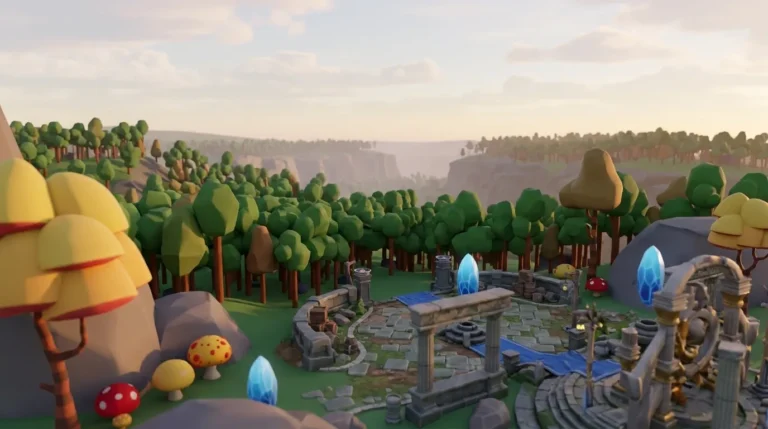
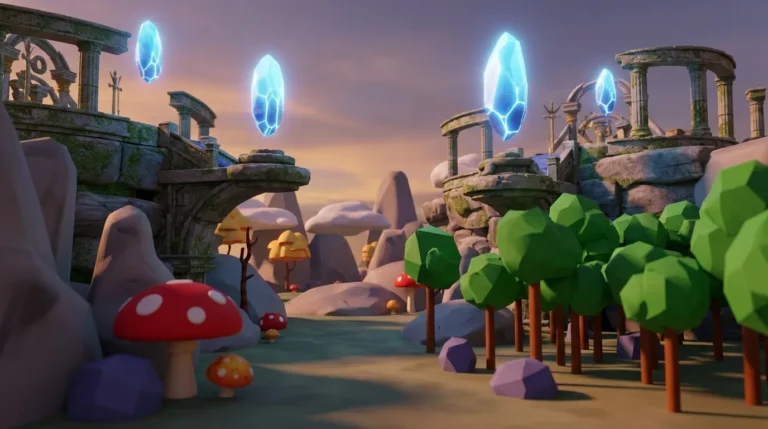
You have the Astrocade running and you have played the classics. If you enjoy how those early systems let you plug in a cartridge and start playing, you will probably enjoy a similar kind of simplicity for creating. Modern tools like Nilo bring that same pick-up-and-play spirit to 3D game creation, with no downloads and no complex setup. You open a browser and start building.

That is exactly what Nilo is built for. Nilo is an AI-native 3D game creation platform that lets you create, play, and share interactive 3D worlds instantly in your browser. You do not need Blender. You do not need scripting knowledge. You also do not need to wait for a scripter to join your team.

The way it works feels very different from traditional game development tools. You can type what you want, draw a sketch, or send an image to the AI, and Nilo generates a 3D model in seconds. You can rig and animate characters with one click. You can use natural language prompts to write working game logic without touching a line of code. That experience is what Nilo calls vibe coding, which feels fun, social, and gives you instant 3D feedback.

Nilo runs on a custom game engine powered by C++ physics compiled to WebAssembly with WebGPU graphics, so you get serious technology that still feels approachable. You share a link and your friends can jump in and build alongside you in real time, on desktop or mobile.

In a February 2026 Nilo survey, 93% of builders said they would recommend Nilo to a friend, and 82% rated their experience as “Awesome” or “Good.” One builder described it this way: “There are no limits on what you can create, just type, draw or add in an image and you can generate, rig, customise and place a fully 3D model within minutes.” The jump from playing Astrocade classics to building your own 3D worlds is shorter than it looks. Try Nilo free and start building your own worlds today, directly in your browser.
Frequently Asked Questions
Is emulation a felony?
Emulation is not a criminal offense in the United States. Using an emulator to play games is a civil copyright matter at most, not a criminal one. No hobbyist has faced criminal charges for running an emulator at home. Criminal copyright prosecution targets large-scale commercial piracy operations, not individuals playing retro games privately.
Has anyone gotten in trouble for ROMs?
Individuals who personally use ROMs at home have not faced legal action. Enforcement targets ROM-hosting websites and commercial distributors. The high-profile cases, including the Yuzu emulator shutdown in 2024, involved developers profiting from modern console emulation, not hobbyists preserving 1970s and 1980s hardware. The practical risk for a private user playing Bally Astrocade software at home is effectively zero, provided you are not distributing files.
What is the difference between a ROM and a BIOS for the Bally Astrocade?
A ROM is the game data, which means the program stored on a cartridge or cassette tape. A BIOS is the console’s own internal firmware, the small program the hardware runs before any game loads. For the Bally Astrocade in MAME, the BIOS file is astro.bin, packaged inside astrocde.zip. You need both the BIOS and the game ROM to run software. Both are subject to copyright, so both must come from legal sources, either dumped from hardware you own or sourced from officially cleared archives.
Can I legally download Bally Astrocade ROMs from the internet?
You can download a Bally Astrocade ROM only if the specific file has been officially cleared for free distribution. That includes homebrew games released by their creators or titles explicitly placed in the public domain. Downloading a ROM of a commercially released Astrocade game you do not own is copyright infringement regardless of how old the game is. The abandonware defense has no legal standing under current U.S. copyright law. The safest approach is to dump ROMs from cartridges you physically own or to play only homebrew and freely licensed titles through platforms like webЯcade.
Do I need a powerful computer to run Bally Astrocade emulation?
You do not need a powerful computer to run Bally Astrocade emulation. The Bally Astrocade is an 8-bit system from the late 1970s. Browser-based emulation of 8-bit and early 16-bit systems runs smoothly on nearly any hardware released in the last decade, with the main bottleneck being WebAssembly execution speed rather than graphics power. For desktop MAME, any modern computer, including budget laptops, handles Astrocade emulation without performance issues. The system’s simplicity is actually an advantage, because you do not need a gaming PC, a dedicated GPU, or any special hardware to get started.
Conclusion
Running Bally Astrocade software legally in 2026 comes down to two things. Use MAME 0.289 or webЯcade as your emulator, and supply only software you own or that has been cleared for free distribution. Place your legally obtained astrocde.zip BIOS in the correct MAME folder, map your paddle inputs through the Tab menu, and you are ready to play. For a no-install option, webЯcade handles homebrew and legally cleared titles entirely in your browser.
Once you have explored the classics, creating something of your own feels like a natural next step. Nilo helps you make that jump without complex tools or scripting. You open a browser, describe what you want to build, and start creating interactive 3D worlds with your friends in minutes.
Start building in Nilo today, with free, instant access in your browser.